Skip the cart.
Sell faster.
Add a "Buy Now" button to any product page and send customers directly to checkout — eliminating the cart page and every second of friction between interest and purchase.
Cart pages kill conversions
Customers add products to the cart with intent, then abandon on the cart page. One extra click, one more decision, one more chance to leave. For stores selling high-ticket items or thin-margin products, every abandonment is lost revenue.
One-click checkout.
Add a "Buy Now" button that skips the cart entirely and takes customers straight to a simplified checkout. Fewer steps, clearer intent, higher conversion. Perfect for dropshipping, digital products, and subscription boxes.
Remove friction, close more sales.
Every extra step between "add to cart" and "order placed" is a chance to lose the customer. Buy Now Button eliminates the cart page entirely — customers go straight from product to checkout. No second-guessing, no distractions, no abandoned carts.
- Direct checkout — skips cart page
- Stock urgency alerts ("Only X left")
- Works with variables products
- 4 button styles + 6 custom icons
- Category targeting rules
- Auto-hide out-of-stock products
- Custom redirect URLs
- Conversion analytics dashboard
Turn low stock into
urgency that converts.
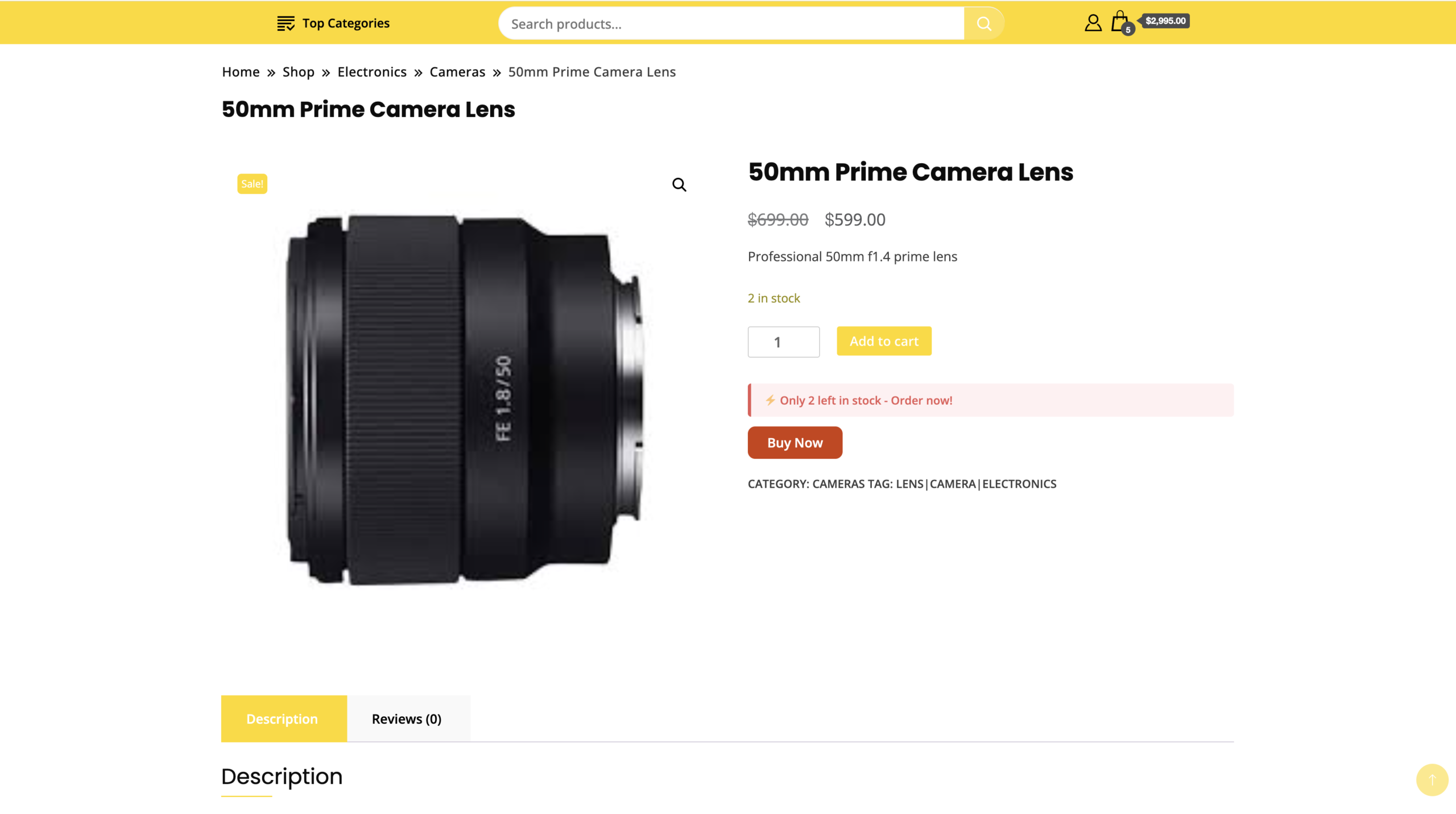
When stock drops below your threshold, the plugin automatically shows a "Only X left in stock!" message. Real scarcity, displayed honestly — no fake countdown timers.
- Automatically shows when stock falls below your set threshold
- Configurable threshold — 1 to 100 items
- Full-width alert box with professional styling
- Requires WooCommerce stock management enabled on the product
One click.
Straight to payment.
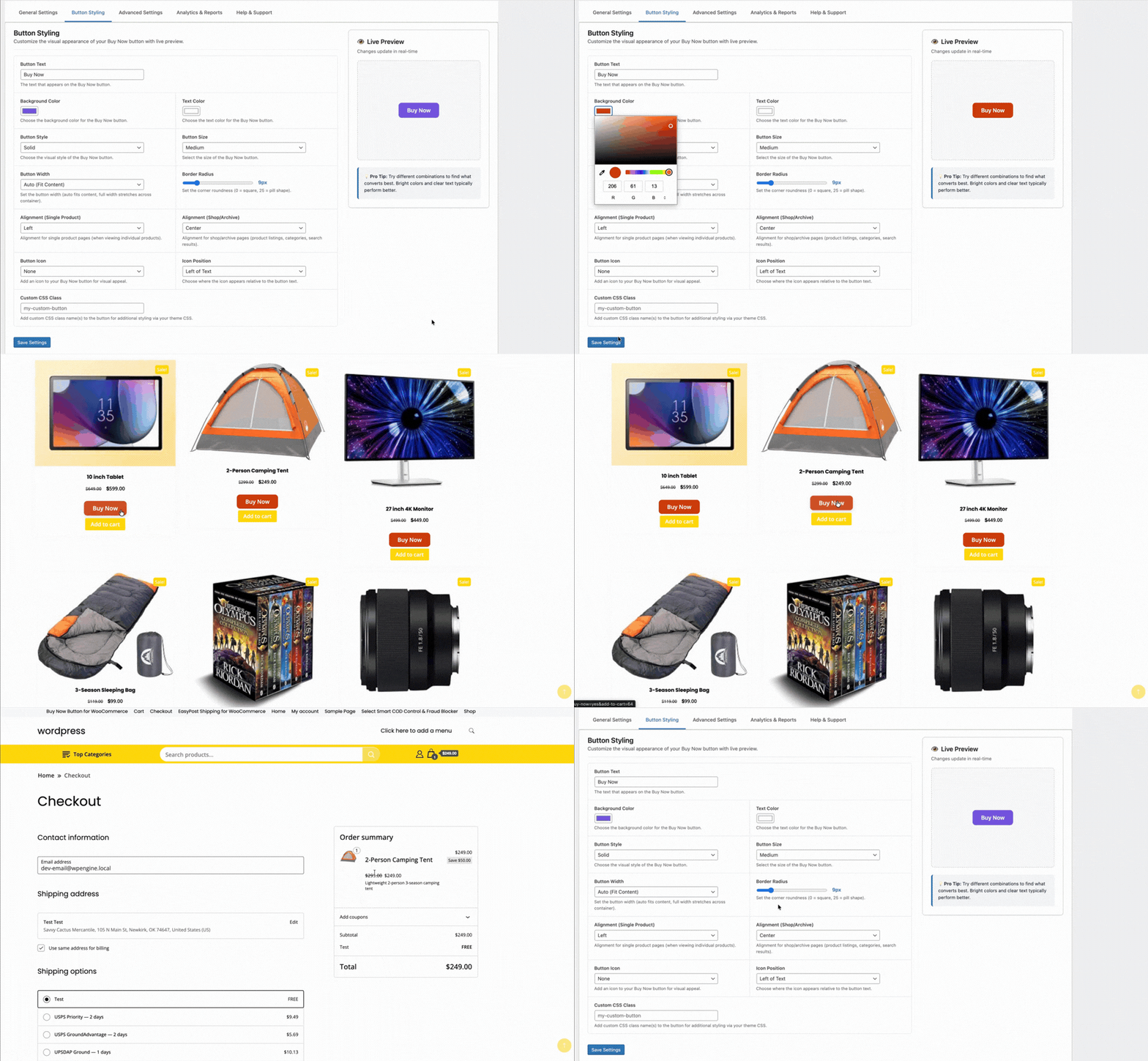
The cart page is where sales die. The Buy Now button removes it entirely — a single click clears the cart, adds the product, and takes the customer directly to checkout.
- Cart is cleared and product added in milliseconds
- Redirect to Checkout, Cart, or any custom URL
- Works with simple and variable products (select variation first)
- Category targeting — enable only for specific product categories
- Auto-hide when products are out of stock
Every pixel,
your choice.
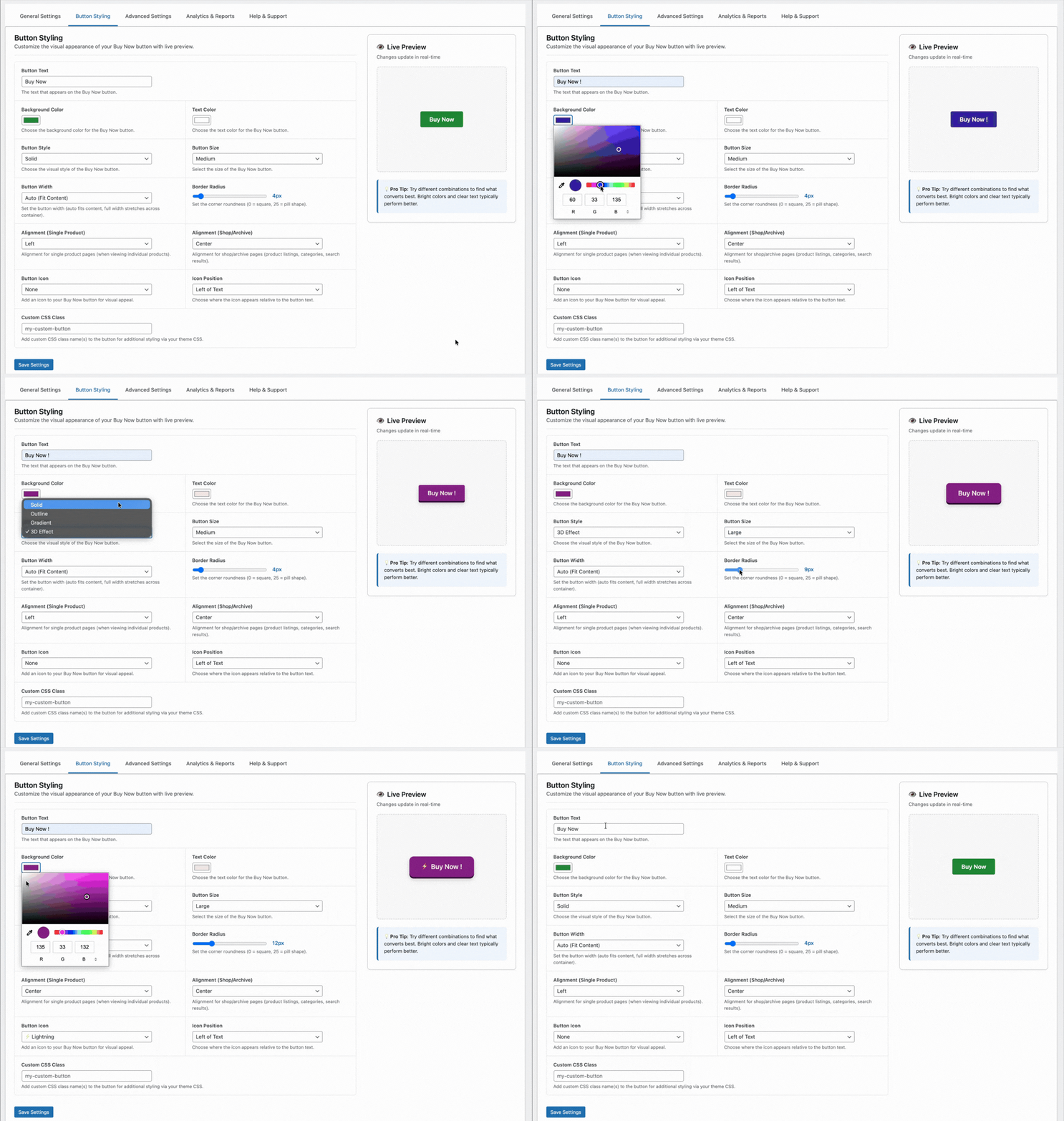
Full visual control over the button — color, size, style, icon, alignment, border radius, and width. A live preview panel updates in real time as you configure it in the admin.
- 4 button styles — Solid, Outline, Gradient, 3D
- 6 icon options — Cart, Lightning, Arrow, Check, Fire, Star
- Separate alignment for single product pages vs. shop grids
- 3 sizes (S/M/L), border radius slider, full-width option
- Custom CSS class for theme-level overrides
- Live preview while configuring
Know exactly
what's working.
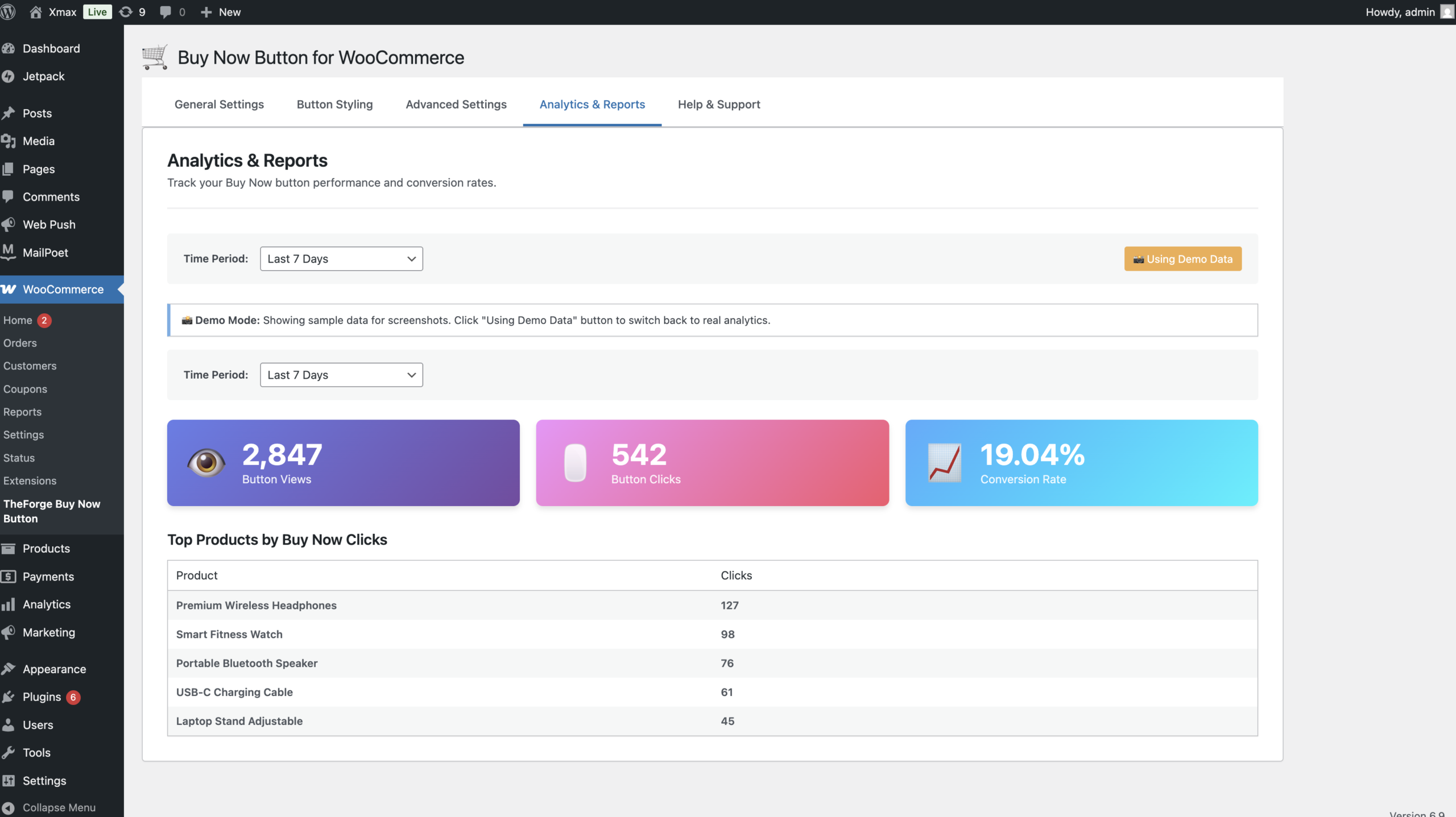
Every button view and click is logged locally. No third-party analytics. No data sharing. Just a clean dashboard showing what's converting and which products are driving Buy Now clicks.
- Track views, clicks, and conversion rate per period
- Top products ranked by Buy Now clicks
- Filter by Today, Last 7 Days, Last 30 Days, All Time
- All data stored in your WordPress database
Solid
Classic filled button. Proven, high-contrast, works with every color.
Outline
Border-only. Works alongside a filled "Add to Cart" for visual hierarchy.
Gradient
Modern two-tone fill. Stands out on product pages with a dynamic feel.
3D
Raised shadow effect. Maximum visual weight — best as the primary CTA.
| Option | Description | Default |
|---|---|---|
| Enable Buy Now Button | Toggle the feature globally on or off | On |
| Button Text | Label shown on the button | Buy Now |
| Redirect Target | Where the customer goes after clicking | Checkout |
| Custom Redirect URL | Used when Redirect Target = Custom URL | — |
| Enable for Specific Categories | Limit button to selected product categories only | All |
| Option | Description | Default |
|---|---|---|
| Button Color | Background color (color picker) | #218838 |
| Text Color | Label text color | #ffffff |
| Button Style | solid, outline, gradient, 3d | solid |
| Button Size | small, medium, large | medium |
| Button Width | auto, full, 50%, 200px, 300px | auto |
| Alignment (Product Page) | left, center, right on single product | left |
| Alignment (Shop Grid) | left, center, right on archive pages | center |
| Border Radius | 0–50px slider | 4px |
| Icon | none, cart, lightning, arrow, check, fire, star | none |
| Icon Position | left or right of text | left |
| Custom CSS Class | Add your own class for custom styling | — |
| Option | Description | Default |
|---|---|---|
| Hide for Out of Stock | Don't show button if product is unavailable | Enabled |
| Show Stock Urgency Messages | Display "Only X left in stock!" alert | Disabled |
| Stock Urgency Threshold | Show message when stock falls at or below this number | 5 |
- Compatibility confirmed with WordPress 6.9.4 and WooCommerce 10.6.1
- Separate button alignments for single product pages vs. shop/archive
- Improved stock urgency styling with full-width alert box
- Configurable stock threshold (1–100 items)
- Fixed stock urgency checkbox detection and settings preservation
- Analytics Dashboard
- Icon support — 6 icons, 2 positions
- Gradient and 3D button styles
- Tabbed admin interface with live preview panel
Reduce cart abandonment. Sell faster.
Free to download. Works with any WooCommerce theme. Under 5 minutes to set up.