A Buy Now button that blends into your product page or looks out of place with your theme won’t convert. The TheForge Buy Now Button plugin gives you complete control over the button’s appearance and placement — without touching CSS or your theme’s code.
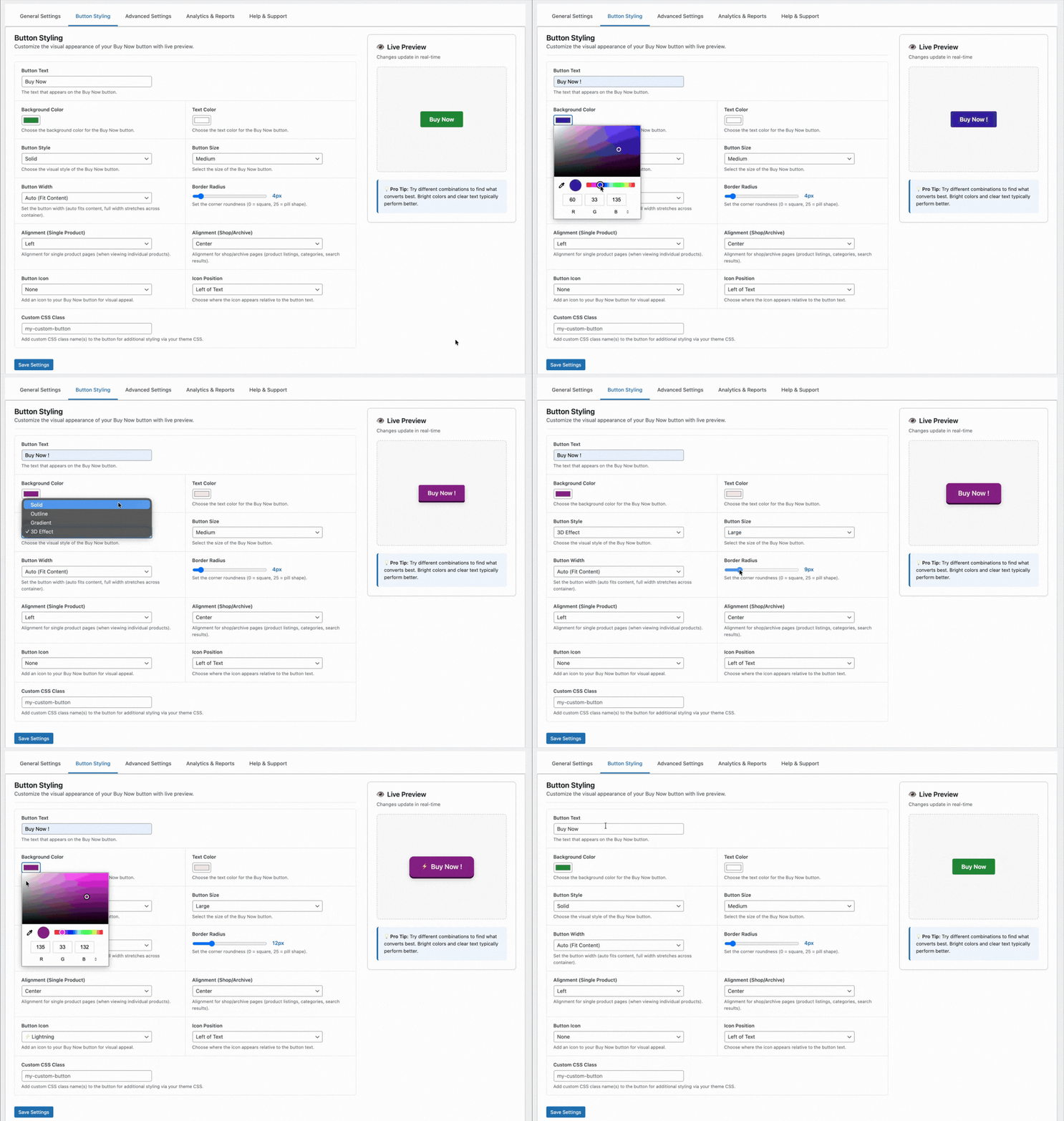
Button Text
The default text is “Buy Now” — but you can change it to anything. Popular alternatives:
- “Get It Now”
- “Order Now”
- “Buy Directly”
- “Skip the Cart”
- “Checkout Now”
You can also set different text for different product types or pages if needed.
Button Colour
Set the background colour, text colour, and hover state colour for the button. The plugin provides a colour picker in the settings panel — no need to enter hex codes manually. The border colour and border radius are also configurable.
For best results, use a colour that creates contrast with your Add to Cart button. If your Add to Cart is your theme’s primary colour, use a complementary accent colour for Buy Now so customers can clearly distinguish the two actions.
Button Size
Choose from preset sizes (small, medium, large) or enter a custom font size and padding. The button width defaults to match your Add to Cart button but can be set to full-width or a fixed pixel/percentage width.
Button Position
Configure where the Buy Now button appears relative to the Add to Cart button:
- Before Add to Cart — Buy Now is the first and most prominent action
- After Add to Cart — Add to Cart is primary, Buy Now is secondary
- Replace Add to Cart — only the Buy Now button is shown (recommended for landing pages and single-product stores)
You can set different positions for different product types or categories.
Icon Support
Add an icon before or after the button text. The plugin supports dashicons and common unicode characters — a shopping bag emoji, a lightning bolt, a right arrow — anything that reinforces the speed and directness of the action.
Responsive Behaviour
The button adapts to mobile automatically. On small screens where space is at a premium, you can set a different position or size specifically for mobile — for example, full-width on mobile and fixed-width on desktop.
Per-Product Overrides
Global settings apply to all products, but you can override any setting at the individual product level. The product edit screen has a Buy Now Button tab where you can customise text, colour, and position for that specific product.
Full styling documentation at the ThePluginForge support page.