Running a WooCommerce store in South Asia — India, Pakistan, Bangladesh, Sri Lanka, Nepal — presents a specific set of challenges that most WooCommerce advice doesn’t address. Cash on Delivery dominates. Return to Origin rates are high. Shipping costs are a major factor in purchase decisions. And competition for customer attention is fierce.
ThePluginForge’s three free plugins were built with exactly these challenges in mind.
The COD Problem
In India, COD accounts for 50–70% of ecommerce transactions. That number is even higher in tier-2 and tier-3 cities. Refusing COD costs sales. Offering COD without controls costs you in RTO fees, wasted packaging, and unsold returned inventory.
Smart COD Control is built for this balance:
- OTP verification eliminates fake COD orders before they ship
- Pincode blocking removes high-RTO areas from your COD coverage
- Customer trust scoring rewards repeat buyers with smoother COD access
- COD fees nudge customers toward UPI and online payment
The Shipping Rate Problem
India has a complex carrier landscape — Delhivery, Shiprocket, BlueDart, DTDC, India Post, Xpressbees — each with different rate structures, coverage, and performance. Managing carrier selection and rate display is time-consuming without the right tools.
TheForge EasyPost Shipping connects to multiple carriers via a single API, displays live rates at checkout, and generates labels directly from your WooCommerce dashboard. For stores shipping domestic and international parcels, the bulk label printing feature alone saves significant daily time.

The Conversion Problem
Mobile commerce is dominant in South Asia — over 70% of ecommerce traffic comes from smartphones. Mobile checkout friction is a significant conversion killer. Long checkout flows, multi-step cart pages, and small touch targets all reduce conversion.
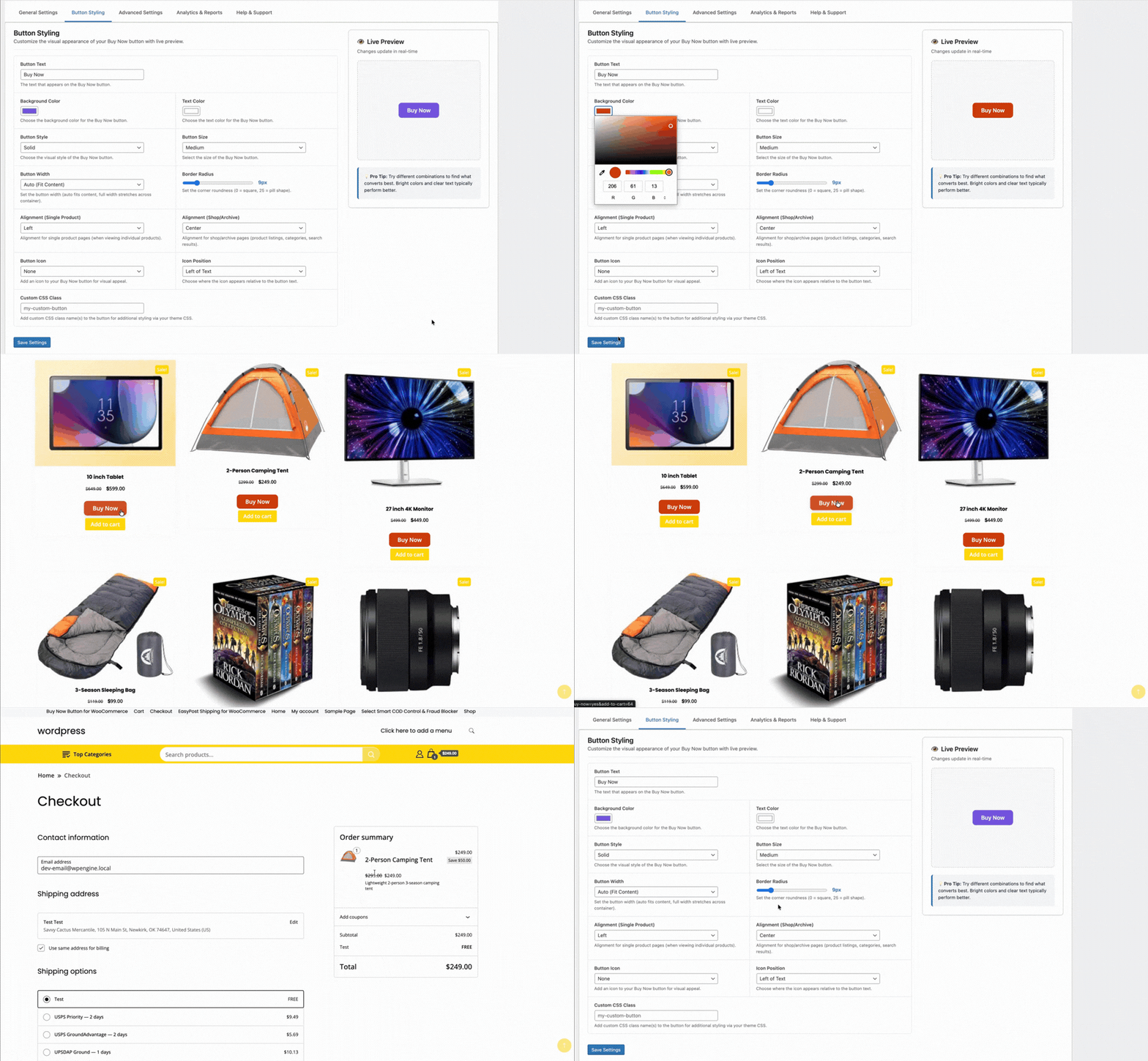
TheForge Buy Now Button compresses the checkout flow to two steps for mobile users. For stores driving traffic from WhatsApp campaigns, Facebook ads, and Instagram — all of which are major acquisition channels in the region — a direct Buy Now link is transformatively effective.
The Stack in Practice
A typical ThePluginForge setup for a South Asian WooCommerce store:
- Smart COD Control — OTP for new customers, pincode blocks for problem areas, ₹40 COD fee
- EasyPost Shipping — live carrier rates, bulk labels generated daily, automated tracking emails
- Buy Now Button — on all product pages, full-width on mobile, single-item checkout mode
All three plugins are free with no upsells or subscriptions. Start at thepluginforge.com or get help at the support page.
If you’ve been running a WooCommerce store with Cash on Delivery for any length of time, you’ll have noticed patterns. Certain cities, certain postcodes, certain pin codes — they produce a disproportionate share of your Returns to Origin. Geographic blocking lets you take action on that data.
Why Block COD by Location?
Not all locations are equal for COD reliability. Factors that increase RTO rates in specific areas include:
- Lower delivery success rates from carrier partners in that region
- Higher incidence of impulsive or speculative ordering behaviours
- Areas where your carrier has historically struggled with last-mile delivery
- Regions with a high proportion of first-time online shoppers
Smart COD Control lets you block COD for any combination of countries, states, and specific pincodes/postcodes.

Setting Up Geographic Restrictions
Navigate to WooCommerce → Smart COD → Location Rules. You have several levels of control:
Country-Level Blocking
Block COD entirely for specific countries. Useful if you ship internationally and COD fraud is disproportionately high from certain countries.
State/Region-Level Blocking
Block COD for entire states or regions within a country. Less blunt than country-level blocking but still broad.
Pincode/Postcode Blocking
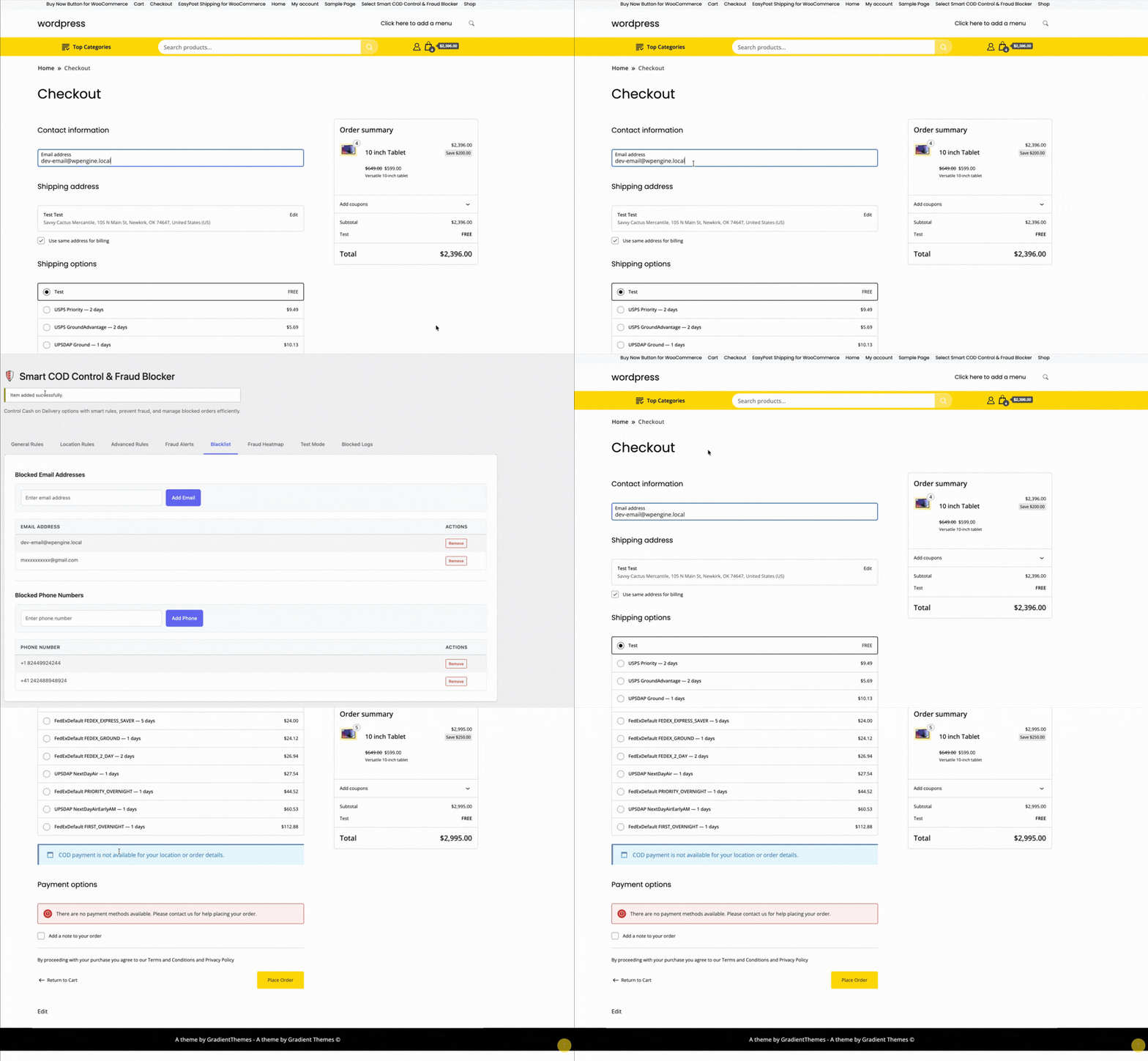
The most targeted option. Paste in a list of pincodes (comma-separated or one per line) and COD is blocked for orders destined for those locations. The customer sees COD listed but greyed out with a message like “Cash on Delivery is not available for your location.”
Building Your Blocklist
Start with your return data. Export your WooCommerce orders, filter for COD returns, and extract the postcodes. Sort by RTO rate. Any postcode with an RTO rate above your acceptable threshold (typically 20–30%) is a candidate for blocking.
Revisit and update your blocklist quarterly — RTO patterns shift as your customer base, carrier partnerships, and product mix evolve.
Allowlist Mode
Instead of blocking specific locations, you can switch Smart COD Control to allowlist mode — COD is disabled everywhere by default, and only explicitly allowed for specific pincodes. This is useful for stores that want to offer COD as a targeted feature for verified-delivery areas only.
Combining with Other Rules
Geographic rules stack with other Smart COD Control rules. You might allow COD in a problematic postcode only for customers with an order history — blocking new customers while allowing verified repeat buyers.
Need help building your location rule strategy? Visit the ThePluginForge support page.