Traffic from a paid ad or email campaign is different from organic product discovery. The visitor has already been convinced to click — they have intent. What kills that intent is friction: a cart, unnecessary navigation, too many choices. The Buy Now button is built for exactly this scenario.
Landing Page Setup
A WooCommerce product page is also a landing page when you drive traffic directly to it. With the TheForge Buy Now Button plugin, you can configure that product page to show only the Buy Now button — no Add to Cart — and set it to clear the cart before checkout. The result is a single-focus page: arrive, choose options (if any), click Buy Now, pay.
Creating Dedicated Landing Pages
For higher-volume campaigns, you might want a dedicated landing page that’s not your standard product page template. Options:
- WooCommerce product page with a full-width template — remove the sidebar, header navigation, and footer links to remove distraction
- Page builder integration — embed the Buy Now button shortcode in a page built with Elementor, Beaver Builder, or similar
- Custom template — create a custom product template in your theme for landing page use
The Buy Now Button plugin provides a shortcode ([tpf_buy_now product_id="123"]) you can use anywhere in WordPress content.
Email Campaign Links
The most powerful use case: email campaigns with direct Buy Now links. Instead of linking to the product page and hoping the customer clicks through the cart, your email includes a “Buy Now →” button that takes them directly to the checkout with the product pre-loaded.
You can construct this URL using WooCommerce’s built-in cart shortcut: /?add-to-cart=PRODUCT_ID&quantity=1&tpf_bn=1. The plugin intercepts this request and redirects to checkout directly.
Facebook and Google Ads
For paid social and search ads that link to a product page, the Buy Now button reduces the post-click steps from four (product → add to cart → cart → checkout) to two (product → checkout). This typically improves your return on ad spend because fewer visitors drop off between the click and the purchase.
Measuring Ad Campaign Performance
Use the Buy Now Button analytics panel alongside your ad platform’s attribution data. Compare conversion rates for landing pages with the Buy Now button versus standard product pages. If you’re running A/B tests, the plugin’s click and conversion data complements your ad platform’s reporting.
Reducing Cart Abandonment for Ad Traffic
Cart abandonment is higher for ad traffic than for organic traffic — ad visitors are less committed and more likely to be distracted. By removing the cart page, you eliminate one of the highest-abandonment points in the journey for this traffic segment.
For campaign setup advice, visit the ThePluginForge support page.
Download Buy Now Button free →
Every WooCommerce checkout starts with a cart. But for stores where customers typically buy one product at a time — or where you’re driving traffic from ads or emails to a specific product — the cart is dead weight. It’s a detour between intent and purchase.
The TheForge Buy Now Button plugin replaces that detour with a direct route.
The Standard WooCommerce Checkout Flow
Without a Buy Now button, the customer journey is:
- Product page → click Add to Cart
- Cart icon updates → customer navigates to cart
- Cart page → review items → click Proceed to Checkout
- Checkout page → enter details → pay
Steps 2 and 3 are pure friction. The cart page asks the customer to confirm a decision they’ve already made. Every additional page is an exit opportunity.
The Buy Now Flow
- Product page → click Buy Now
- Checkout page → enter details → pay
Two fewer steps. Two fewer exit opportunities. Studies on ecommerce checkout optimisation consistently show that reducing steps increases conversion, particularly on mobile where multi-step navigation is especially cumbersome.
Single Item Checkout: Clearing the Cart
The Buy Now Button plugin has a Clear Cart option. When enabled, clicking Buy Now removes any existing items from the cart before adding the current product. The customer checks out with just that one item.
This is particularly valuable for:
- Landing page traffic — visitors coming from ads who have a specific purchase intent
- Email campaigns — links to a specific product with a direct Buy Now call to action
- Single-product stores — where you sell one main product and want the simplest possible checkout
- Subscription products — where you need to ensure only the subscription is in the cart
Multi-Item Buy Now
If you don’t enable Clear Cart, Buy Now adds the product to the existing cart and redirects to checkout. The customer can still have multiple items — they just skip the cart page review. This is a good middle ground for stores where cross-selling and upselling are important.
The Mobile Argument
Mobile commerce accounts for the majority of WooCommerce traffic in most markets. Mobile users have less patience for multi-step processes and less precise input (fat fingers on small screens). A direct Buy Now → Checkout flow is significantly better on mobile than the standard cart flow.
Questions about configuring the single product checkout flow? Visit the ThePluginForge support page.
Download Buy Now Button free →
The average WooCommerce cart abandonment rate is around 70%. That means seven out of ten people who add something to their cart never pay. Most of those losses happen at or before checkout. Here are five things you can do about it.
1. Skip the Cart with a Buy Now Button
The most direct fix: remove the cart entirely for customers who are ready to buy. The TheForge Buy Now Button adds a straight-to-checkout button on product pages. Fewer steps, fewer drop-offs.
2. Reduce Checkout Fields
Most WooCommerce stores ask for far more information than they need to ship a package. Remove unnecessary fields, make address line 2 optional, and auto-complete addresses where possible.
3. Offer the Right Payment Methods
In cash-heavy markets, not offering COD kills conversion. But offering COD without controls invites fraud. The Smart COD Control plugin lets you offer COD intelligently — available to genuine customers, blocked or fee-gated for risky ones.
4. Show Real Shipping Costs Upfront
Surprise shipping costs at checkout are the number one stated reason for cart abandonment. Live carrier rates via the EasyPost Shipping plugin mean customers see accurate costs before they start the checkout flow.
5. Validate Addresses Before Payment
Nothing kills the checkout experience like a payment failing because of an address error. Real-time address validation catches problems before the customer hits the pay button.
All three TheForge plugins — EasyPost Shipping, Smart COD Control and Buy Now Button — are free and built specifically for WooCommerce stores that take performance seriously.
Every extra step between a customer deciding to buy and actually paying is an opportunity for them to change their mind. The cart page is one of the biggest drop-off points in any WooCommerce store. A Buy Now button removes it entirely.
What the Buy Now Button Does
The TheForge Buy Now Button plugin adds a customisable button to any WooCommerce product that skips the cart and sends the customer directly to checkout. One click, straight to payment.
Works on All Product Types
Simple products, variable products, grouped products — the Buy Now button handles them all. For variable products, it waits until the customer has selected their options, then takes them straight to checkout with the right variation already in the basket.
Customise Everything
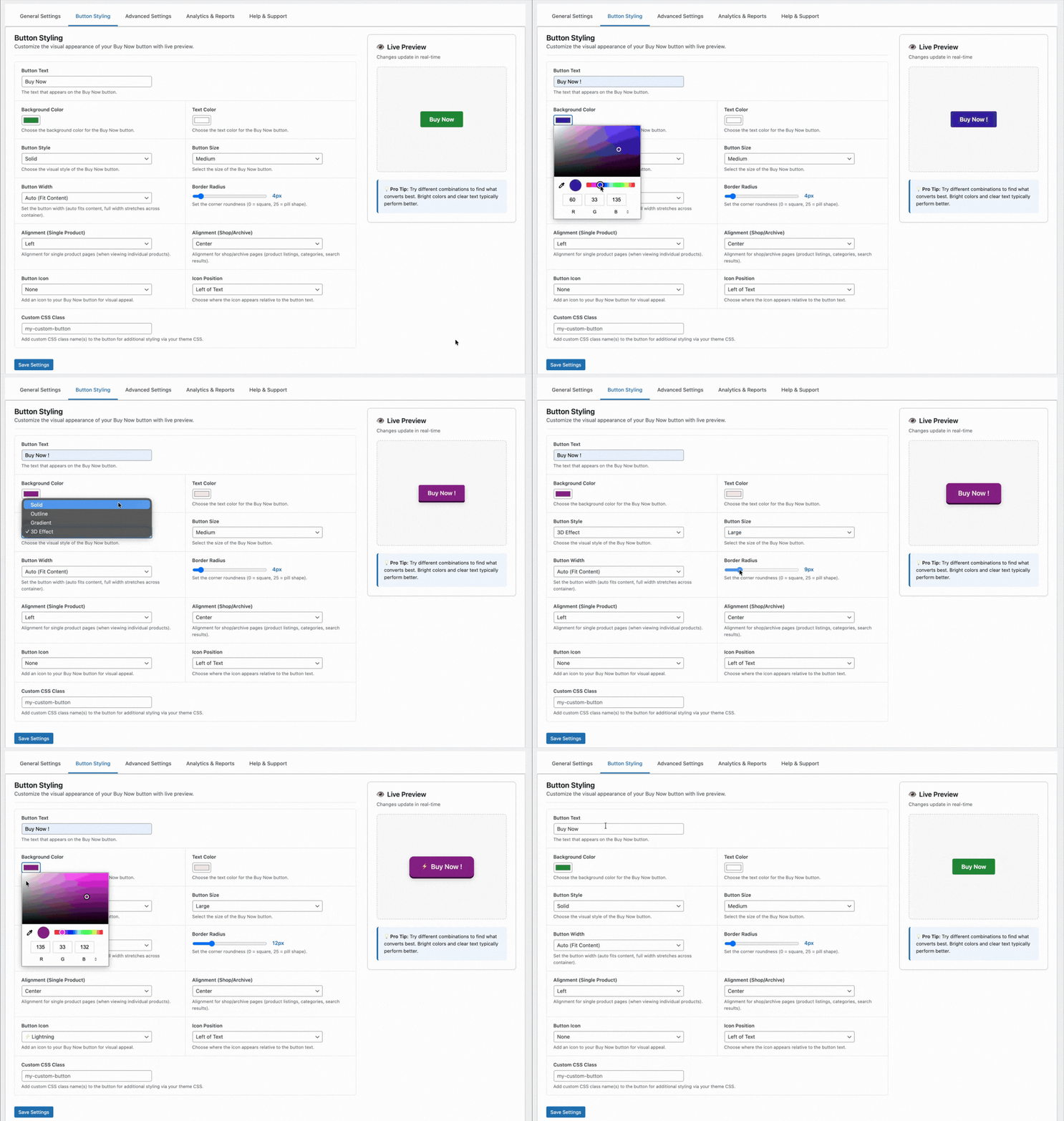
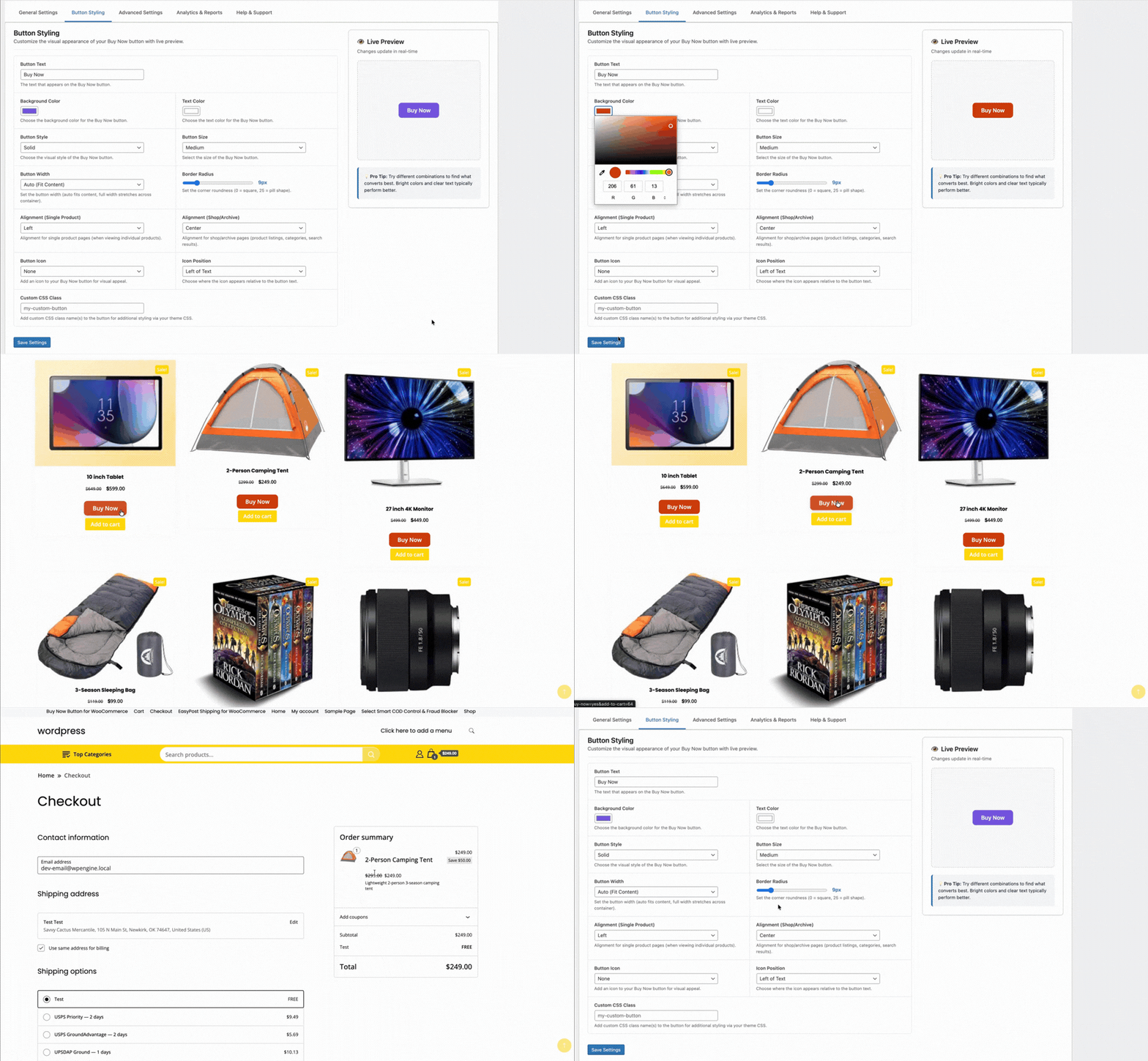
Change the button text, colour, size and position without touching CSS. Put it above or below the standard Add to Cart button, or replace the Add to Cart entirely for specific products or categories.
Single Product Checkout
The plugin clears the cart before adding the product, so customers check out with just that one item — ideal for stores selling individual high-value products or subscriptions.
Works with Any Theme
No page builder required, no shortcode gymnastics. The button drops into your product pages automatically and inherits your theme’s button styles, or you can override them completely.