Smart COD Control v1.3.1 supports Vonage (formerly Nexmo) as an SMS provider for OTP verification. Vonage offers competitive rates across South Asia, the Middle East, and Southeast Asia — regions where Cash on Delivery is most popular. This guide walks you through the full setup.

What You Will Need
- A Vonage API account (free trial available)
- Smart COD Control v1.3.1 or newer installed and active
Step 1: Create a Vonage Account
- Go to vonage.com and click Sign Up Free.
- Verify your email. Vonage provides free trial credit so you can test SMS immediately.
- Once logged in, go to the Vonage API Dashboard.
Step 2: Get Your API Credentials
- On the dashboard, find the API key and API secret at the top.
- Copy both values — you will paste them into Smart COD Control.
Tip: Never share your API secret publicly. Treat it like a password.
Step 3: Set Your Sender Name
With Vonage you can use an alphanumeric sender ID (e.g., MyStore) in most countries. Go to Account → API settings in the Vonage dashboard to configure your default sender name. Note that some countries (like India) require a registered DLT sender ID — check Vonage documentation for your region.
Step 4: Configure Smart COD Control
- Go to WooCommerce → Smart COD Control → OTP Settings.
- Toggle Enable OTP Verification to ON.
- Under SMS Provider, select Vonage.
- Enter your API Key and API Secret.
- Set the From Name (your brand name or phone number).
- Click Save Settings.
Step 5: Customise the OTP Message
Use the {otp} placeholder in your message. Keep it under 160 characters. Example:
Your MyStore COD verification code is {otp}. Do not share this code.
Step 6: Test It
- Open an incognito window and go through checkout.
- Select Cash on Delivery.
- Enter your own phone number and click Send Code.
- You should receive an SMS from Vonage within seconds.
- Enter the code and complete the order.
Vonage vs Twilio — Which Should You Choose?
| Feature | Vonage | Twilio |
|---|---|---|
| Best for | Asia, Middle East | Global / US-heavy |
| Pricing | Competitive in APAC | Standard global rates |
| Sender ID | Alphanumeric supported | Numeric only in many regions |
| Free trial | Yes | Yes |
Both providers work seamlessly with Smart COD Control. Choose based on your geography and pricing preference — you can switch at any time from the plugin settings without losing data.
Smart COD Control supports two SMS providers for OTP verification: Twilio and Vonage. This guide walks you through setting up Twilio — the most widely used SMS API worldwide — step by step.

What You Will Need
- A Twilio account (free trial is fine for testing)
- Smart COD Control v1.3.1 or newer installed and active
- A verified Twilio phone number
Step 1: Create a Twilio Account
- Go to twilio.com and sign up for a free account.
- Verify your email address and phone number during signup.
- Once logged in, you will land on the Twilio Console Dashboard.
Step 2: Get Your API Credentials
- Find the Account Info section on the dashboard.
- Copy your Account SID — it starts with
AC. - Copy your Auth Token — click the eye icon to reveal it.
Step 3: Get a Twilio Phone Number
- Go to Phone Numbers → Manage → Buy a Number.
- Filter by your country and ensure the number has SMS capability.
- Click Buy (free trial accounts get one number at no charge).
- Copy the number in E.164 format, e.g.
+14155552671.
Note: On a free trial, Twilio can only send SMS to verified numbers. Upgrade to a paid account to send to any number.
Step 4: Configure Smart COD Control
- Go to WooCommerce → Smart COD Control → OTP Settings.
- Toggle Enable OTP Verification to ON.
- Under SMS Provider, select Twilio.
- Paste your Account SID and Auth Token.
- Enter your Twilio phone number in the From Number field (include the
+and country code). - Click Save Settings.
Step 5: Customise the OTP Message
Use the placeholder {otp} where you want the code to appear. Example:
Your verification code for your COD order at MyStore is {otp}. Valid for 10 minutes.
Step 6: Test It
- Open your store in an incognito window and add a product to cart.
- At checkout, select Cash on Delivery.
- Enter a verified phone number, click Send Code, and enter the received OTP.
- Complete the order to confirm everything works.
Troubleshooting
- SMS not arriving — Double-check your Account SID, Auth Token, and From Number. Trial accounts can only send to verified numbers.
- Invalid credentials error — Re-copy credentials from the console and watch for accidental whitespace.
- Country not supported — Some countries require a local Twilio number. Check Twilio coverage docs.
Once connected, customers receive OTP codes within seconds and your COD cancellation rate will start dropping immediately.
Fake orders are the silent killer of COD profitability. A customer places an order impulsively, ignores delivery attempts, and your store absorbs the return shipping cost. Multiply that by hundreds of orders per month and the numbers get painful fast.
Smart COD Control v1.3.1 introduces OTP (One-Time Password) Phone Verification — a simple, effective friction layer that stops unserious buyers before the order is even placed.
How OTP Verification Works
- The customer selects Cash on Delivery at checkout.
- A phone number field appears with a Send Code button.
- An SMS with a 6-digit code is sent to their number via your configured SMS provider (Twilio or Vonage).
- The customer enters the code. Only after successful verification can they place the order.
- The verified phone number is saved to the order for your records.
The entire flow happens inline at checkout — no page reload, no redirect. It takes under 30 seconds for a legitimate customer and completely stops automated or throwaway orders.
Why OTP Is More Effective Than Blacklists Alone
Blacklists are reactive — you add a phone number or address after you get burned. OTP verification is proactive. Customers who are not serious enough to verify a real phone number will not proceed, and your inventory stays reserved for genuine buyers.
Studies from COD-heavy markets show 30–60% reduction in RTO (Return to Origin) rates after implementing OTP gating on COD orders.
Supported SMS Providers
- Twilio — global coverage, easy setup with Account SID + Auth Token
- Vonage (formerly Nexmo) — competitive rates for South Asia and the Middle East
Configuring OTP in Smart COD Control
- Go to WooCommerce → Smart COD Control → OTP Settings.
- Enable OTP Verification for COD.
- Choose your SMS provider (Twilio or Vonage).
- Enter your API credentials.
- Set the sender name / number that will appear on the SMS.
- Optionally customise the OTP message template.
- Save settings and test with a real phone number before going live.
OTP + Rule Builder = Complete Fraud Defense
Use the Visual Rule Builder to restrict COD to specific zones and cart ranges, and layer OTP verification on top. Together they give you the most complete COD fraud prevention available for WooCommerce — without any custom development.
Update to v1.3.1 from your WordPress dashboard to enable OTP today.
Cash on Delivery is one of the most popular payment methods in South Asia, the Middle East, and many emerging markets — but it comes with a catch: unverified orders, high cancellation rates, and fraud. Until now, controlling when COD is shown has required custom code or a patchwork of plugins.
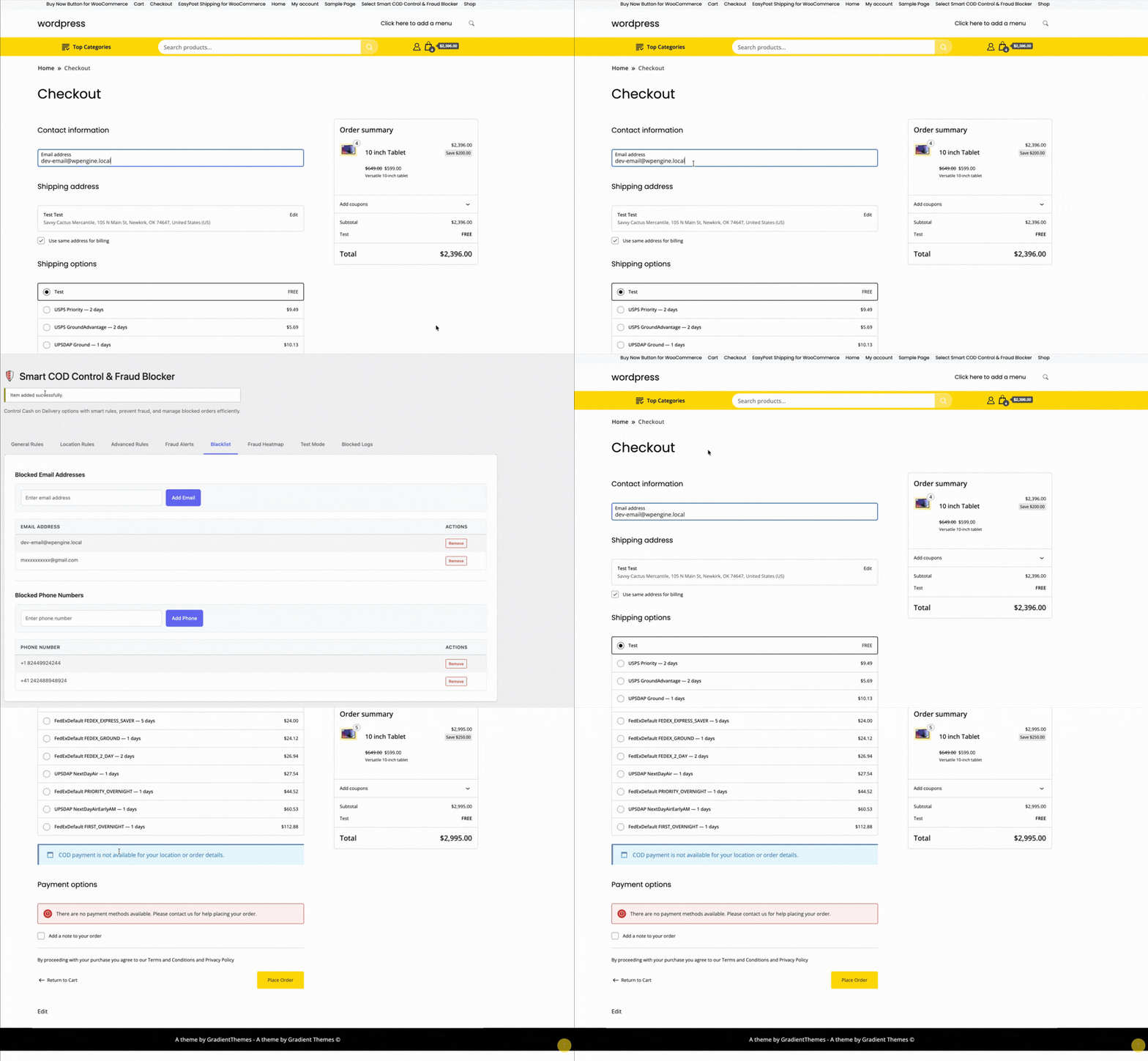
Smart COD Control v1.3 changes that with a brand-new Visual Rule Builder — a point-and-click interface for building precise COD availability rules without touching a single line of PHP.
What Is the Visual Rule Builder?
The Visual Rule Builder is an admin panel that lets you create rule groups. Each group contains one or more conditions. Within a group, conditions are joined with AND logic (all must match). Between groups, logic is OR (any group can enable COD). This mirrors how professional rule engines work and gives you near-infinite flexibility.
What Can You Filter By?
- Cart total — e.g., disable COD for orders above ₹5,000
- Shipping zone / state / city — block COD for specific regions or pin codes
- Product or category — hide COD for fragile, perishable, or high-value items
- Customer order history — restrict COD for customers with previous cancellations
- User role — enable COD only for verified wholesale buyers
- Coupon applied — hide COD when a discount coupon is active
How to Build Your First Rule
- Navigate to WooCommerce → Smart COD Control → Rule Builder.
- Click Add Rule Group.
- Inside the group, click Add Condition and choose a condition type from the dropdown (e.g., Cart Total).
- Set the operator (is greater than) and value (5000).
- Add more conditions to the same group to AND them together, or add a new group to OR with the first.
- Set the group action to Hide COD or Show COD.
- Save. Rules take effect instantly at checkout — no cache clearing needed.
Pre-Built Templates
Not sure where to start? Smart COD Control ships with ready-made rule templates:
- Disable COD for high-value carts
- Enable COD only for specific states
- Hide COD for repeat cancellers
One click loads the template; you tweak the values to fit your store.
AND / OR Logic Explained
Think of it like a spreadsheet filter. If you need COD hidden when cart total > 5000 AND state is Maharashtra, put both conditions in the same group. If you want it hidden when cart total > 5000 OR product is fragile, put each in its own group.
Upgrade to v1.3 Today
The Visual Rule Builder is available in Smart COD Control v1.3.0 and above. Update via your WordPress dashboard or download the latest version from your account. No configuration migration needed — existing simple block/allow settings are preserved.
Running a WooCommerce store in South Asia — India, Pakistan, Bangladesh, Sri Lanka, Nepal — presents a specific set of challenges that most WooCommerce advice doesn’t address. Cash on Delivery dominates. Return to Origin rates are high. Shipping costs are a major factor in purchase decisions. And competition for customer attention is fierce.
ThePluginForge’s three free plugins were built with exactly these challenges in mind.
The COD Problem
In India, COD accounts for 50–70% of ecommerce transactions. That number is even higher in tier-2 and tier-3 cities. Refusing COD costs sales. Offering COD without controls costs you in RTO fees, wasted packaging, and unsold returned inventory.
Smart COD Control is built for this balance:
- OTP verification eliminates fake COD orders before they ship
- Pincode blocking removes high-RTO areas from your COD coverage
- Customer trust scoring rewards repeat buyers with smoother COD access
- COD fees nudge customers toward UPI and online payment
The Shipping Rate Problem
India has a complex carrier landscape — Delhivery, Shiprocket, BlueDart, DTDC, India Post, Xpressbees — each with different rate structures, coverage, and performance. Managing carrier selection and rate display is time-consuming without the right tools.
TheForge EasyPost Shipping connects to multiple carriers via a single API, displays live rates at checkout, and generates labels directly from your WooCommerce dashboard. For stores shipping domestic and international parcels, the bulk label printing feature alone saves significant daily time.

The Conversion Problem
Mobile commerce is dominant in South Asia — over 70% of ecommerce traffic comes from smartphones. Mobile checkout friction is a significant conversion killer. Long checkout flows, multi-step cart pages, and small touch targets all reduce conversion.
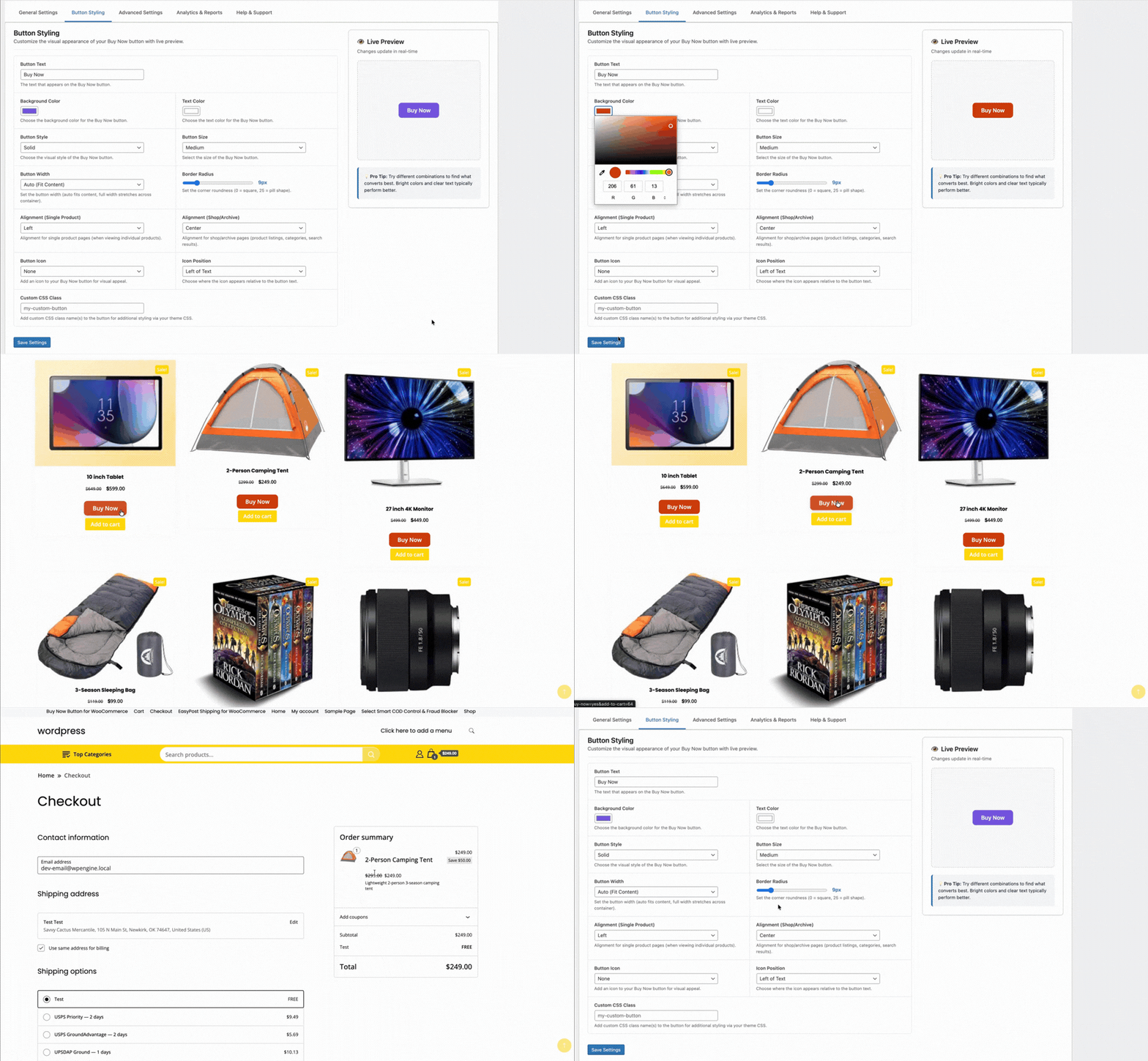
TheForge Buy Now Button compresses the checkout flow to two steps for mobile users. For stores driving traffic from WhatsApp campaigns, Facebook ads, and Instagram — all of which are major acquisition channels in the region — a direct Buy Now link is transformatively effective.
The Stack in Practice
A typical ThePluginForge setup for a South Asian WooCommerce store:
- Smart COD Control — OTP for new customers, pincode blocks for problem areas, ₹40 COD fee
- EasyPost Shipping — live carrier rates, bulk labels generated daily, automated tracking emails
- Buy Now Button — on all product pages, full-width on mobile, single-item checkout mode
All three plugins are free with no upsells or subscriptions. Start at thepluginforge.com or get help at the support page.
Smart COD Control is a comprehensive toolkit for managing Cash on Delivery in WooCommerce. This guide walks you through every major setting from first install to a fully configured COD management system.
Installation
Install Smart COD Control from the WordPress plugin directory or upload the plugin ZIP. Activate it, then navigate to WooCommerce → Smart COD in your admin menu.
1. General Settings
The General tab controls the top-level COD behaviour:
- Enable/disable COD — master switch for all Smart COD Control rules
- COD label — what the payment method is called at checkout (“Cash on Delivery”, “Pay on Delivery”, etc.)
- COD description — supporting text shown at checkout
- Minimum order amount — COD not available below this value
- Maximum order amount — COD blocked above this value
2. OTP Verification
Configure SMS gateway, OTP length, expiry, resend limits, and the message template. Test with a real phone number before enabling.
3. Location Rules
Set country, state, and pincode allowlists or blocklists. Start permissive and tighten based on your RTO data.

4. Fee Settings
Set a fixed, percentage, or combined COD fee. Configure the label text and any exemption rules (by customer history, order value, or product category).
5. Trust Rules
Define what constitutes a “trusted” customer. Trusted customers can receive lighter restrictions — skipping OTP, lower fees, higher COD value caps.

6. Product and Category Rules
Block COD for specific products or entire categories. High-value electronics, fragile goods, custom/personalised items — configure which products can and can’t be purchased via COD.
7. Analytics and Reporting
The analytics tab shows your COD vs prepaid order split, blocked order counts, and RTO trends over time. Use this data to tune your rules.

Recommended Starting Configuration
If you’re not sure where to start:
- Enable OTP verification for all new customers
- Set a maximum COD order value of 2× your average order value
- Add a modest COD handling fee (₹25–₹50 or 2–3%)
- Review your RTO data after 30 days and add pincode blocks for problem areas
Full documentation and a setup walkthrough video are available at the ThePluginForge support page.
Download Smart COD Control free →
A first-time customer with no order history placing a large COD order is a fundamentally different risk profile from a customer who has placed and received 10 prepaid orders over the past year. Treating both customers identically — either blocking COD for everyone or allowing it for everyone — is leaving money on the table or accepting unnecessary risk.
Customer trust scoring in Smart COD Control lets you differentiate.
What Is Customer Trust Scoring?
Trust scoring assigns a risk level to each customer based on their order history with your store. Customers with a track record of successfully received orders are “trusted” and get more permissive COD access. New customers or those with a history of returns or cancellations are flagged as higher risk and face additional restrictions.
Configuring Trust Rules
In WooCommerce → Smart COD → Trust Rules, you define what “trusted” means for your store. Examples:
- Minimum completed orders — customer must have at least N completed orders
- Minimum prepaid orders — at least N of those orders must have been prepaid (not COD)
- Account age — account must be at least N days old
- No recent RTO — no returned COD orders in the last N months
You can require all conditions or any combination.
What Happens to Untrusted Customers?
You control this. Options include:
- Block COD entirely for new/untrusted customers
- Require OTP verification for untrusted customers but skip it for trusted ones
- Apply the COD handling fee to untrusted customers only
- Limit the COD order value cap for untrusted customers
This approach minimises friction for your best customers while maintaining protection where it’s needed.
Guest Checkout and Trust Scoring
Guest checkouts don’t have an account history. You can configure how guest COD orders are treated — some stores block COD for guests entirely and require account creation, others allow it with mandatory OTP verification.
Building Trust Over Time
Trust scoring creates a virtuous cycle: new customers who want COD complete OTP verification and receive their first order. After N successful orders, they’re trusted and get smoother COD access. This rewards genuine customers progressively without permanent blanket restrictions.
Documentation for trust scoring configuration is available at the ThePluginForge support page.
Download Smart COD Control free →
If you’ve been running a WooCommerce store with Cash on Delivery for any length of time, you’ll have noticed patterns. Certain cities, certain postcodes, certain pin codes — they produce a disproportionate share of your Returns to Origin. Geographic blocking lets you take action on that data.
Why Block COD by Location?
Not all locations are equal for COD reliability. Factors that increase RTO rates in specific areas include:
- Lower delivery success rates from carrier partners in that region
- Higher incidence of impulsive or speculative ordering behaviours
- Areas where your carrier has historically struggled with last-mile delivery
- Regions with a high proportion of first-time online shoppers
Smart COD Control lets you block COD for any combination of countries, states, and specific pincodes/postcodes.
Setting Up Geographic Restrictions
Navigate to WooCommerce → Smart COD → Location Rules. You have several levels of control:
Country-Level Blocking
Block COD entirely for specific countries. Useful if you ship internationally and COD fraud is disproportionately high from certain countries.
State/Region-Level Blocking
Block COD for entire states or regions within a country. Less blunt than country-level blocking but still broad.
Pincode/Postcode Blocking
The most targeted option. Paste in a list of pincodes (comma-separated or one per line) and COD is blocked for orders destined for those locations. The customer sees COD listed but greyed out with a message like “Cash on Delivery is not available for your location.”
Building Your Blocklist
Start with your return data. Export your WooCommerce orders, filter for COD returns, and extract the postcodes. Sort by RTO rate. Any postcode with an RTO rate above your acceptable threshold (typically 20–30%) is a candidate for blocking.
Revisit and update your blocklist quarterly — RTO patterns shift as your customer base, carrier partnerships, and product mix evolve.
Allowlist Mode
Instead of blocking specific locations, you can switch Smart COD Control to allowlist mode — COD is disabled everywhere by default, and only explicitly allowed for specific pincodes. This is useful for stores that want to offer COD as a targeted feature for verified-delivery areas only.
Combining with Other Rules
Geographic rules stack with other Smart COD Control rules. You might allow COD in a problematic postcode only for customers with an order history — blocking new customers while allowing verified repeat buyers.
Need help building your location rule strategy? Visit the ThePluginForge support page.
Download Smart COD Control free →
There’s no shortage of WooCommerce plugins. Most of them do too little, cost too much, or create more problems than they solve. ThePluginForge has taken a different approach — focused tools that solve specific, painful problems and don’t ask for a subscription to do it.
EasyPost Shipping & Bulk Label Printing
The flagship plugin. TheForge EasyPost Shipping brings live multi-carrier rates, smart 3D bin packing, address validation, one-click label generation, bulk printing, return labels, insurance, carrier pickups, and a full analytics dashboard to WooCommerce — all in one plugin, all free.
For stores shipping more than 20 orders a day, the bulk label printing alone pays for itself in saved time within the first week.
Smart COD Control
Smart COD Control is built for WooCommerce stores in markets where Cash on Delivery dominates and fraud is a real cost. OTP verification, eligibility rules, postcode blocking, COD fees and customer trust scoring give store owners real control over their COD risk.
Stores report RTO rate reductions of 40–60% after enabling OTP verification. For a store processing 100 COD orders a day at 30% RTO, that’s a meaningful saving in carrier fees and lost inventory.
Buy Now Button
The Buy Now Button is elegantly simple: skip the cart, go straight to checkout. For stores with high-intent product pages — landing pages, email campaigns, social ads — it removes the biggest drop-off point between intent and purchase.
Free. No Upsells. No Subscriptions.
All three plugins are genuinely free. No “pro” version gatekeeping the features you actually need. No monthly subscription to access the API. ThePluginForge’s model is straightforward: build great free plugins, earn trust, and let the quality speak for itself.
Browse all plugins at thepluginforge.com →
Cash on Delivery is the dominant payment method across South Asia, the Middle East and much of Africa — but it comes with a serious problem. Return-to-origin rates as high as 30–40% are common, driven by fake orders, buyer’s remorse, and outright fraud. Every RTO shipment costs you the label, the packaging and the carrier fee.
Smart Rules for COD Eligibility
The TheForge Smart COD Control plugin lets you define exactly when COD is available. Block it for new customers, high-value orders, specific postcodes, or product categories. Only offer it to customers with a solid order history.
OTP Verification
Before a COD order goes through, the customer enters a one-time PIN sent to their phone. Fake phone numbers fail immediately. Customers who aren’t genuinely expecting the delivery don’t complete the verification. RTO rates drop dramatically.
Order Value Limits
Set a minimum and maximum order value for COD. High-value orders carry more risk — nudge those customers toward prepaid methods instead.
Pincode / Postcode Blocking
If certain areas consistently generate high RTOs, block COD for those pincodes entirely. Paste in a list and the plugin handles the rest.
Fee for COD
Add a small handling fee to COD orders to cover the risk and nudge customers toward prepaid payment methods.