Every WooCommerce checkout starts with a cart. But for stores where customers typically buy one product at a time — or where you’re driving traffic from ads or emails to a specific product — the cart is dead weight. It’s a detour between intent and purchase.
The TheForge Buy Now Button plugin replaces that detour with a direct route.
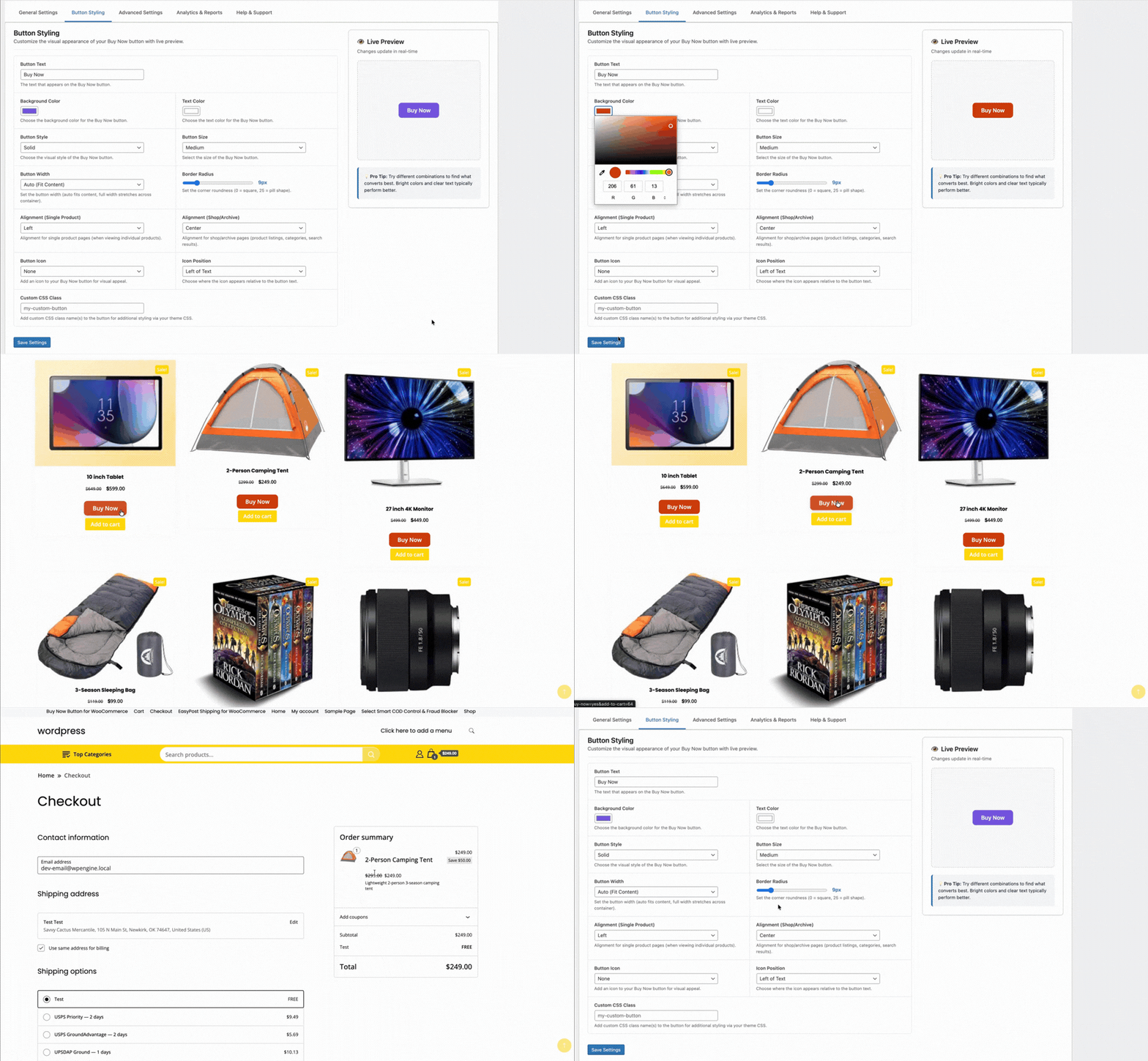
The Standard WooCommerce Checkout Flow
Without a Buy Now button, the customer journey is:
- Product page → click Add to Cart
- Cart icon updates → customer navigates to cart
- Cart page → review items → click Proceed to Checkout
- Checkout page → enter details → pay
Steps 2 and 3 are pure friction. The cart page asks the customer to confirm a decision they’ve already made. Every additional page is an exit opportunity.
The Buy Now Flow
- Product page → click Buy Now
- Checkout page → enter details → pay
Two fewer steps. Two fewer exit opportunities. Studies on ecommerce checkout optimisation consistently show that reducing steps increases conversion, particularly on mobile where multi-step navigation is especially cumbersome.
Single Item Checkout: Clearing the Cart
The Buy Now Button plugin has a Clear Cart option. When enabled, clicking Buy Now removes any existing items from the cart before adding the current product. The customer checks out with just that one item.
This is particularly valuable for:
- Landing page traffic — visitors coming from ads who have a specific purchase intent
- Email campaigns — links to a specific product with a direct Buy Now call to action
- Single-product stores — where you sell one main product and want the simplest possible checkout
- Subscription products — where you need to ensure only the subscription is in the cart
Multi-Item Buy Now
If you don’t enable Clear Cart, Buy Now adds the product to the existing cart and redirects to checkout. The customer can still have multiple items — they just skip the cart page review. This is a good middle ground for stores where cross-selling and upselling are important.
The Mobile Argument
Mobile commerce accounts for the majority of WooCommerce traffic in most markets. Mobile users have less patience for multi-step processes and less precise input (fat fingers on small screens). A direct Buy Now → Checkout flow is significantly better on mobile than the standard cart flow.
Questions about configuring the single product checkout flow? Visit the ThePluginForge support page.
Download Buy Now Button free →
Variable products are one of the most common product types in WooCommerce — products that come in multiple variants like size, colour, or material. Adding a Buy Now button to a variable product requires handling the variation selection before sending the customer to checkout. Here’s how the TheForge Buy Now Button plugin handles it.
The Challenge with Variable Products
A simple product has one SKU, one price, one stock status. Click Buy Now → add to cart → go to checkout. Straightforward.
A variable product — a t-shirt in five colours and four sizes, for example — has up to 20 variations. The Buy Now button can’t send the customer to checkout until they’ve chosen which variation they want. If you skip that step, the wrong variation ends up in the cart (or no variation at all).
How the Plugin Handles It
The Buy Now Button plugin integrates with WooCommerce’s native variation attribute selectors. The Buy Now button is inactive (greyed out) until the customer has selected all required attributes. Once a complete variation is selected — a specific size AND colour, for example — the button activates.
Click the active button, and the plugin adds exactly that variation to the cart and redirects to checkout. The customer sees their chosen variation pre-selected on the checkout page.
Swatch Compatibility
Many WooCommerce themes and plugins replace the default dropdown attribute selectors with visual swatches. The Buy Now Button plugin is compatible with the major swatch plugins, detecting variation selection events regardless of whether the selector is a dropdown, button swatch, colour swatch, or image swatch.
Out of Stock Variations
If the selected variation is out of stock, the Buy Now button shows as unavailable — the same way the standard Add to Cart button behaves. The customer can select a different in-stock variation to re-enable it.
Displaying the Button Position on Variable Products
On variable products, position matters. The button needs to appear after the attribute selectors so customers can clearly see the flow: choose your options → click Buy Now. You can configure the button position in the plugin settings — below the variation selector is usually the most natural placement.

Variable Products in Grouped Products
Grouped products — sets of related products purchased together — have a different structure. The Buy Now Button plugin handles grouped products by adding all selected quantities of each product in the group to the cart simultaneously before redirecting to checkout.
For questions about variable product setup, visit the ThePluginForge support page.
Download Buy Now Button free →
Every extra step between a customer deciding to buy and actually paying is an opportunity for them to change their mind. The cart page is one of the biggest drop-off points in any WooCommerce store. A Buy Now button removes it entirely.
What the Buy Now Button Does
The TheForge Buy Now Button plugin adds a customisable button to any WooCommerce product that skips the cart and sends the customer directly to checkout. One click, straight to payment.
Works on All Product Types
Simple products, variable products, grouped products — the Buy Now button handles them all. For variable products, it waits until the customer has selected their options, then takes them straight to checkout with the right variation already in the basket.
Customise Everything
Change the button text, colour, size and position without touching CSS. Put it above or below the standard Add to Cart button, or replace the Add to Cart entirely for specific products or categories.
Single Product Checkout
The plugin clears the cart before adding the product, so customers check out with just that one item — ideal for stores selling individual high-value products or subscriptions.
Works with Any Theme
No page builder required, no shortcode gymnastics. The button drops into your product pages automatically and inherits your theme’s button styles, or you can override them completely.
Download Buy Now Button free →
Address problems are one of the most frustrating and expensive issues in ecommerce fulfilment. A customer types their postcode wrong, the package bounces back, and you’re out the shipping cost — sometimes twice.
Validate Addresses in Real Time
The TheForge EasyPost Shipping plugin validates customer addresses against the EasyPost address verification service as they type at checkout. A green tick means the address is deliverable. A warning means there’s a problem — before the order is ever placed.
Warn or Block
You choose the behaviour. Set it to warn only — the customer sees a warning but can still check out. Or set it to block checkout — no order goes through with an unverifiable address. Particularly useful for high-value orders where a failed delivery would be costly.
No Extra Plugins Required
Address validation is built directly into the EasyPost plugin — no separate extension, no extra subscription, no third-party service to configure. It works with EasyPost’s existing verification API.
USPS Address Standardisation
For US addresses, EasyPost normalises the address to USPS standards — correcting apartment formats, adding missing ZIP+4 codes and standardising state abbreviations. The cleaned address is what goes on the label.