Running a WooCommerce store in South Asia — India, Pakistan, Bangladesh, Sri Lanka, Nepal — presents a specific set of challenges that most WooCommerce advice doesn’t address. Cash on Delivery dominates. Return to Origin rates are high. Shipping costs are a major factor in purchase decisions. And competition for customer attention is fierce.
ThePluginForge’s three free plugins were built with exactly these challenges in mind.
The COD Problem
In India, COD accounts for 50–70% of ecommerce transactions. That number is even higher in tier-2 and tier-3 cities. Refusing COD costs sales. Offering COD without controls costs you in RTO fees, wasted packaging, and unsold returned inventory.
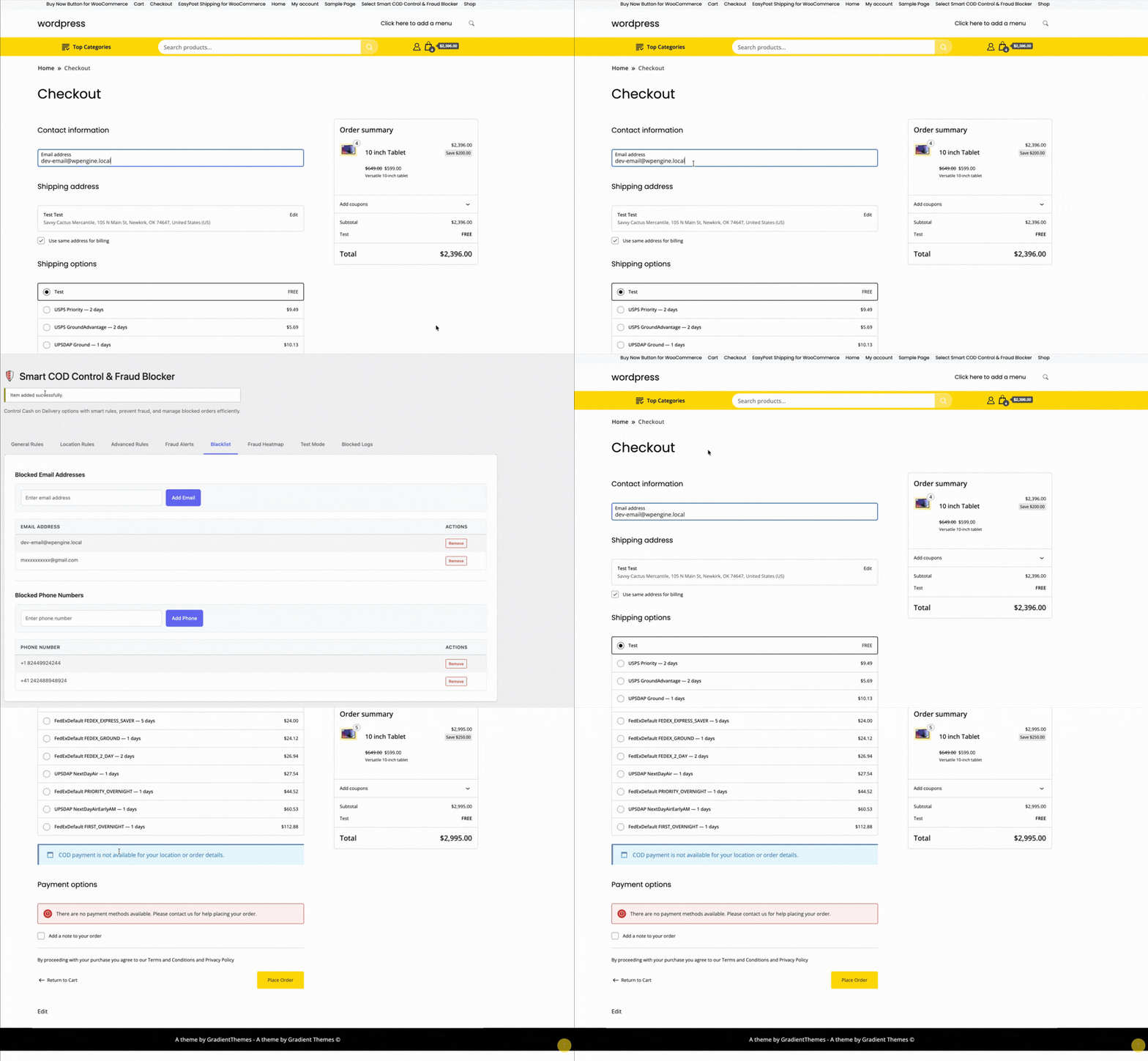
Smart COD Control is built for this balance:
- OTP verification eliminates fake COD orders before they ship
- Pincode blocking removes high-RTO areas from your COD coverage
- Customer trust scoring rewards repeat buyers with smoother COD access
- COD fees nudge customers toward UPI and online payment
The Shipping Rate Problem
India has a complex carrier landscape — Delhivery, Shiprocket, BlueDart, DTDC, India Post, Xpressbees — each with different rate structures, coverage, and performance. Managing carrier selection and rate display is time-consuming without the right tools.
TheForge EasyPost Shipping connects to multiple carriers via a single API, displays live rates at checkout, and generates labels directly from your WooCommerce dashboard. For stores shipping domestic and international parcels, the bulk label printing feature alone saves significant daily time.

The Conversion Problem
Mobile commerce is dominant in South Asia — over 70% of ecommerce traffic comes from smartphones. Mobile checkout friction is a significant conversion killer. Long checkout flows, multi-step cart pages, and small touch targets all reduce conversion.
TheForge Buy Now Button compresses the checkout flow to two steps for mobile users. For stores driving traffic from WhatsApp campaigns, Facebook ads, and Instagram — all of which are major acquisition channels in the region — a direct Buy Now link is transformatively effective.
The Stack in Practice
A typical ThePluginForge setup for a South Asian WooCommerce store:
- Smart COD Control — OTP for new customers, pincode blocks for problem areas, ₹40 COD fee
- EasyPost Shipping — live carrier rates, bulk labels generated daily, automated tracking emails
- Buy Now Button — on all product pages, full-width on mobile, single-item checkout mode
All three plugins are free with no upsells or subscriptions. Start at thepluginforge.com or get help at the support page.
Traffic from a paid ad or email campaign is different from organic product discovery. The visitor has already been convinced to click — they have intent. What kills that intent is friction: a cart, unnecessary navigation, too many choices. The Buy Now button is built for exactly this scenario.
Landing Page Setup
A WooCommerce product page is also a landing page when you drive traffic directly to it. With the TheForge Buy Now Button plugin, you can configure that product page to show only the Buy Now button — no Add to Cart — and set it to clear the cart before checkout. The result is a single-focus page: arrive, choose options (if any), click Buy Now, pay.
Creating Dedicated Landing Pages
For higher-volume campaigns, you might want a dedicated landing page that’s not your standard product page template. Options:
- WooCommerce product page with a full-width template — remove the sidebar, header navigation, and footer links to remove distraction
- Page builder integration — embed the Buy Now button shortcode in a page built with Elementor, Beaver Builder, or similar
- Custom template — create a custom product template in your theme for landing page use
The Buy Now Button plugin provides a shortcode ([tpf_buy_now product_id="123"]) you can use anywhere in WordPress content.
Email Campaign Links
The most powerful use case: email campaigns with direct Buy Now links. Instead of linking to the product page and hoping the customer clicks through the cart, your email includes a “Buy Now →” button that takes them directly to the checkout with the product pre-loaded.
You can construct this URL using WooCommerce’s built-in cart shortcut: /?add-to-cart=PRODUCT_ID&quantity=1&tpf_bn=1. The plugin intercepts this request and redirects to checkout directly.
Facebook and Google Ads
For paid social and search ads that link to a product page, the Buy Now button reduces the post-click steps from four (product → add to cart → cart → checkout) to two (product → checkout). This typically improves your return on ad spend because fewer visitors drop off between the click and the purchase.
Measuring Ad Campaign Performance
Use the Buy Now Button analytics panel alongside your ad platform’s attribution data. Compare conversion rates for landing pages with the Buy Now button versus standard product pages. If you’re running A/B tests, the plugin’s click and conversion data complements your ad platform’s reporting.
Reducing Cart Abandonment for Ad Traffic
Cart abandonment is higher for ad traffic than for organic traffic — ad visitors are less committed and more likely to be distracted. By removing the cart page, you eliminate one of the highest-abandonment points in the journey for this traffic segment.
For campaign setup advice, visit the ThePluginForge support page.
Download Buy Now Button free →
Adding a Buy Now button to your product pages is a conversion optimisation. Like all optimisations, it should be measured. The TheForge Buy Now Button plugin includes an analytics panel that shows you exactly how the button is performing — which products are benefiting most and where customers are going.

What the Analytics Panel Shows
Navigate to WooCommerce → Buy Now → Analytics to see:
- Buy Now clicks — total button clicks over your selected date range
- Direct checkouts — how many clicks resulted in a checkout session
- Conversions — how many resulted in a completed order
- Buy Now conversion rate — percentage of clicks that became orders
- Revenue from Buy Now — total revenue from orders initiated via the Buy Now button
- Top products by Buy Now usage — which products customers are buying directly most often
Comparing Buy Now vs Cart Conversion Rate
The most useful analysis: compare the conversion rate for customers who use the Buy Now button versus customers who use Add to Cart. If Buy Now consistently converts at a higher rate, it’s confirming that removing the cart step is worthwhile. If they’re comparable, your cart page might already be well-optimised.
Identifying High-Intent Products
Products with high Buy Now usage relative to Add to Cart usage are products where customers arrive with strong purchase intent — they know what they want and just want to buy it. These products are good candidates for landing page optimisation, targeted advertising, and email campaigns with direct Buy Now links.
Using the Data to Optimise Button Placement
If some products have low Buy Now click rates despite high traffic, consider:
- Moving the button above the fold
- Making the button more visually prominent
- Changing the button text to something more compelling
- A/B testing button colour
Integration with Google Analytics
The plugin fires a custom event (buy_now_click) via the data layer that’s compatible with Google Analytics 4 and Google Tag Manager. You can track Buy Now interactions as custom events in GA4 and build funnels that include the button as a conversion step.
Documentation for analytics setup at the ThePluginForge support page.
Download Buy Now Button free →
Every WooCommerce checkout starts with a cart. But for stores where customers typically buy one product at a time — or where you’re driving traffic from ads or emails to a specific product — the cart is dead weight. It’s a detour between intent and purchase.
The TheForge Buy Now Button plugin replaces that detour with a direct route.
The Standard WooCommerce Checkout Flow
Without a Buy Now button, the customer journey is:
- Product page → click Add to Cart
- Cart icon updates → customer navigates to cart
- Cart page → review items → click Proceed to Checkout
- Checkout page → enter details → pay
Steps 2 and 3 are pure friction. The cart page asks the customer to confirm a decision they’ve already made. Every additional page is an exit opportunity.
The Buy Now Flow
- Product page → click Buy Now
- Checkout page → enter details → pay
Two fewer steps. Two fewer exit opportunities. Studies on ecommerce checkout optimisation consistently show that reducing steps increases conversion, particularly on mobile where multi-step navigation is especially cumbersome.
Single Item Checkout: Clearing the Cart
The Buy Now Button plugin has a Clear Cart option. When enabled, clicking Buy Now removes any existing items from the cart before adding the current product. The customer checks out with just that one item.
This is particularly valuable for:
- Landing page traffic — visitors coming from ads who have a specific purchase intent
- Email campaigns — links to a specific product with a direct Buy Now call to action
- Single-product stores — where you sell one main product and want the simplest possible checkout
- Subscription products — where you need to ensure only the subscription is in the cart
Multi-Item Buy Now
If you don’t enable Clear Cart, Buy Now adds the product to the existing cart and redirects to checkout. The customer can still have multiple items — they just skip the cart page review. This is a good middle ground for stores where cross-selling and upselling are important.
The Mobile Argument
Mobile commerce accounts for the majority of WooCommerce traffic in most markets. Mobile users have less patience for multi-step processes and less precise input (fat fingers on small screens). A direct Buy Now → Checkout flow is significantly better on mobile than the standard cart flow.
Questions about configuring the single product checkout flow? Visit the ThePluginForge support page.
Download Buy Now Button free →
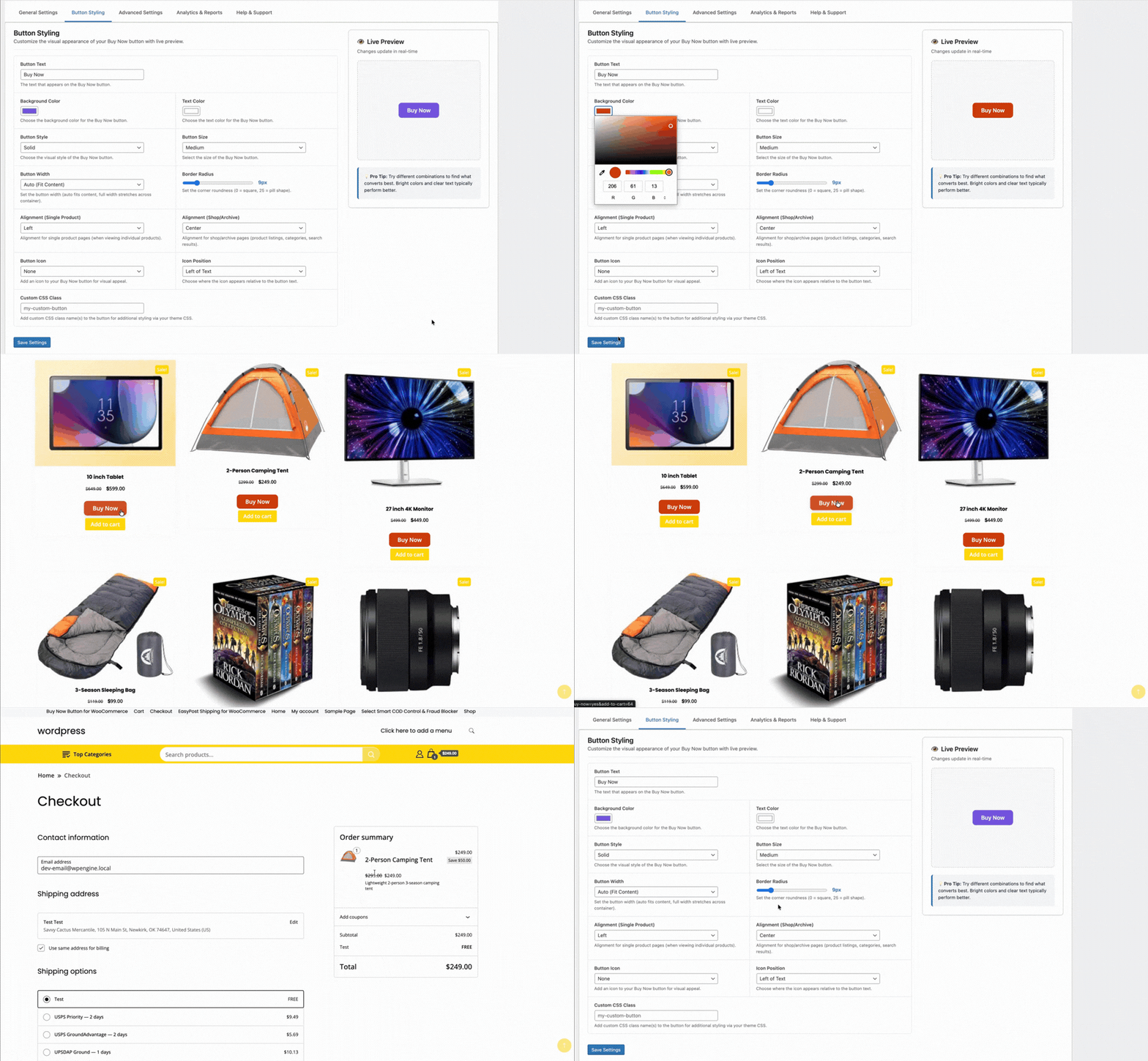
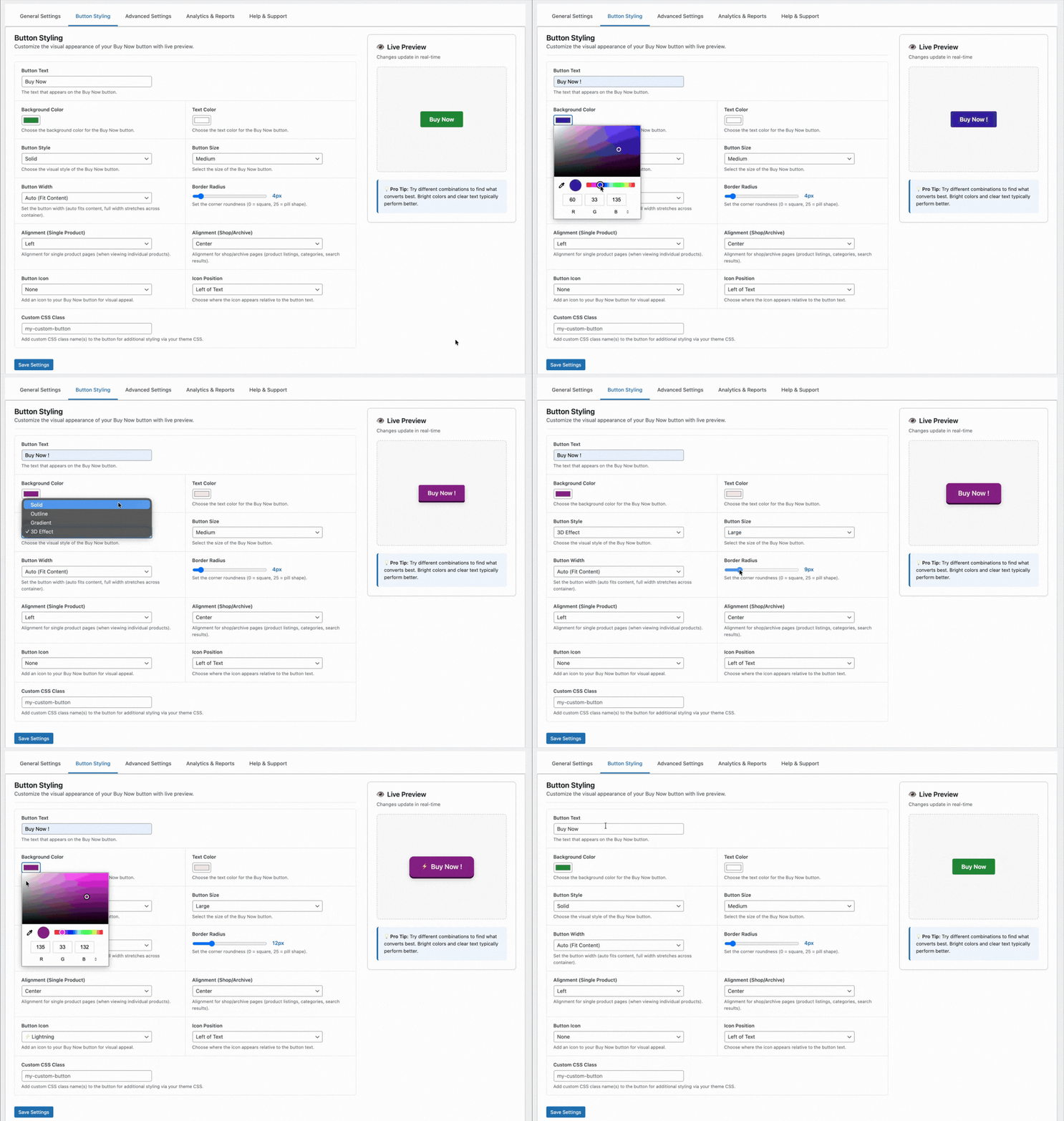
A Buy Now button that blends into your product page or looks out of place with your theme won’t convert. The TheForge Buy Now Button plugin gives you complete control over the button’s appearance and placement — without touching CSS or your theme’s code.
Button Text
The default text is “Buy Now” — but you can change it to anything. Popular alternatives:
- “Get It Now”
- “Order Now”
- “Buy Directly”
- “Skip the Cart”
- “Checkout Now”
You can also set different text for different product types or pages if needed.
Button Colour
Set the background colour, text colour, and hover state colour for the button. The plugin provides a colour picker in the settings panel — no need to enter hex codes manually. The border colour and border radius are also configurable.
For best results, use a colour that creates contrast with your Add to Cart button. If your Add to Cart is your theme’s primary colour, use a complementary accent colour for Buy Now so customers can clearly distinguish the two actions.
Button Size
Choose from preset sizes (small, medium, large) or enter a custom font size and padding. The button width defaults to match your Add to Cart button but can be set to full-width or a fixed pixel/percentage width.
Button Position
Configure where the Buy Now button appears relative to the Add to Cart button:
- Before Add to Cart — Buy Now is the first and most prominent action
- After Add to Cart — Add to Cart is primary, Buy Now is secondary
- Replace Add to Cart — only the Buy Now button is shown (recommended for landing pages and single-product stores)
You can set different positions for different product types or categories.
Icon Support
Add an icon before or after the button text. The plugin supports dashicons and common unicode characters — a shopping bag emoji, a lightning bolt, a right arrow — anything that reinforces the speed and directness of the action.
Responsive Behaviour
The button adapts to mobile automatically. On small screens where space is at a premium, you can set a different position or size specifically for mobile — for example, full-width on mobile and fixed-width on desktop.
Per-Product Overrides
Global settings apply to all products, but you can override any setting at the individual product level. The product edit screen has a Buy Now Button tab where you can customise text, colour, and position for that specific product.
Full styling documentation at the ThePluginForge support page.
Download Buy Now Button free →
Variable products are one of the most common product types in WooCommerce — products that come in multiple variants like size, colour, or material. Adding a Buy Now button to a variable product requires handling the variation selection before sending the customer to checkout. Here’s how the TheForge Buy Now Button plugin handles it.
The Challenge with Variable Products
A simple product has one SKU, one price, one stock status. Click Buy Now → add to cart → go to checkout. Straightforward.
A variable product — a t-shirt in five colours and four sizes, for example — has up to 20 variations. The Buy Now button can’t send the customer to checkout until they’ve chosen which variation they want. If you skip that step, the wrong variation ends up in the cart (or no variation at all).
How the Plugin Handles It
The Buy Now Button plugin integrates with WooCommerce’s native variation attribute selectors. The Buy Now button is inactive (greyed out) until the customer has selected all required attributes. Once a complete variation is selected — a specific size AND colour, for example — the button activates.
Click the active button, and the plugin adds exactly that variation to the cart and redirects to checkout. The customer sees their chosen variation pre-selected on the checkout page.
Swatch Compatibility
Many WooCommerce themes and plugins replace the default dropdown attribute selectors with visual swatches. The Buy Now Button plugin is compatible with the major swatch plugins, detecting variation selection events regardless of whether the selector is a dropdown, button swatch, colour swatch, or image swatch.
Out of Stock Variations
If the selected variation is out of stock, the Buy Now button shows as unavailable — the same way the standard Add to Cart button behaves. The customer can select a different in-stock variation to re-enable it.
Displaying the Button Position on Variable Products
On variable products, position matters. The button needs to appear after the attribute selectors so customers can clearly see the flow: choose your options → click Buy Now. You can configure the button position in the plugin settings — below the variation selector is usually the most natural placement.

Variable Products in Grouped Products
Grouped products — sets of related products purchased together — have a different structure. The Buy Now Button plugin handles grouped products by adding all selected quantities of each product in the group to the cart simultaneously before redirecting to checkout.
For questions about variable product setup, visit the ThePluginForge support page.
Download Buy Now Button free →
There’s no shortage of WooCommerce plugins. Most of them do too little, cost too much, or create more problems than they solve. ThePluginForge has taken a different approach — focused tools that solve specific, painful problems and don’t ask for a subscription to do it.
EasyPost Shipping & Bulk Label Printing
The flagship plugin. TheForge EasyPost Shipping brings live multi-carrier rates, smart 3D bin packing, address validation, one-click label generation, bulk printing, return labels, insurance, carrier pickups, and a full analytics dashboard to WooCommerce — all in one plugin, all free.
For stores shipping more than 20 orders a day, the bulk label printing alone pays for itself in saved time within the first week.
Smart COD Control
Smart COD Control is built for WooCommerce stores in markets where Cash on Delivery dominates and fraud is a real cost. OTP verification, eligibility rules, postcode blocking, COD fees and customer trust scoring give store owners real control over their COD risk.
Stores report RTO rate reductions of 40–60% after enabling OTP verification. For a store processing 100 COD orders a day at 30% RTO, that’s a meaningful saving in carrier fees and lost inventory.
Buy Now Button
The Buy Now Button is elegantly simple: skip the cart, go straight to checkout. For stores with high-intent product pages — landing pages, email campaigns, social ads — it removes the biggest drop-off point between intent and purchase.
Free. No Upsells. No Subscriptions.
All three plugins are genuinely free. No “pro” version gatekeeping the features you actually need. No monthly subscription to access the API. ThePluginForge’s model is straightforward: build great free plugins, earn trust, and let the quality speak for itself.
Browse all plugins at thepluginforge.com →
The average WooCommerce cart abandonment rate is around 70%. That means seven out of ten people who add something to their cart never pay. Most of those losses happen at or before checkout. Here are five things you can do about it.
1. Skip the Cart with a Buy Now Button
The most direct fix: remove the cart entirely for customers who are ready to buy. The TheForge Buy Now Button adds a straight-to-checkout button on product pages. Fewer steps, fewer drop-offs.
2. Reduce Checkout Fields
Most WooCommerce stores ask for far more information than they need to ship a package. Remove unnecessary fields, make address line 2 optional, and auto-complete addresses where possible.
3. Offer the Right Payment Methods
In cash-heavy markets, not offering COD kills conversion. But offering COD without controls invites fraud. The Smart COD Control plugin lets you offer COD intelligently — available to genuine customers, blocked or fee-gated for risky ones.
4. Show Real Shipping Costs Upfront
Surprise shipping costs at checkout are the number one stated reason for cart abandonment. Live carrier rates via the EasyPost Shipping plugin mean customers see accurate costs before they start the checkout flow.
5. Validate Addresses Before Payment
Nothing kills the checkout experience like a payment failing because of an address error. Real-time address validation catches problems before the customer hits the pay button.
All three TheForge plugins — EasyPost Shipping, Smart COD Control and Buy Now Button — are free and built specifically for WooCommerce stores that take performance seriously.
Every extra step between a customer deciding to buy and actually paying is an opportunity for them to change their mind. The cart page is one of the biggest drop-off points in any WooCommerce store. A Buy Now button removes it entirely.
What the Buy Now Button Does
The TheForge Buy Now Button plugin adds a customisable button to any WooCommerce product that skips the cart and sends the customer directly to checkout. One click, straight to payment.
Works on All Product Types
Simple products, variable products, grouped products — the Buy Now button handles them all. For variable products, it waits until the customer has selected their options, then takes them straight to checkout with the right variation already in the basket.
Customise Everything
Change the button text, colour, size and position without touching CSS. Put it above or below the standard Add to Cart button, or replace the Add to Cart entirely for specific products or categories.
Single Product Checkout
The plugin clears the cart before adding the product, so customers check out with just that one item — ideal for stores selling individual high-value products or subscriptions.
Works with Any Theme
No page builder required, no shortcode gymnastics. The button drops into your product pages automatically and inherits your theme’s button styles, or you can override them completely.